SEO Settings
Set meta titles, descriptions, and Open Graph data for your storefront pages.
Overview
This page controls how your store appears on Google and when people share your links. In simple terms: it controls your search headline, search description, and share preview image.
Good SEO brings free traffic from people searching terms like "cannabis delivery near me." The page has four parts: Homepage SEO, Title Templates, Social & Analytics, and Sitemap.
Homepage SEO
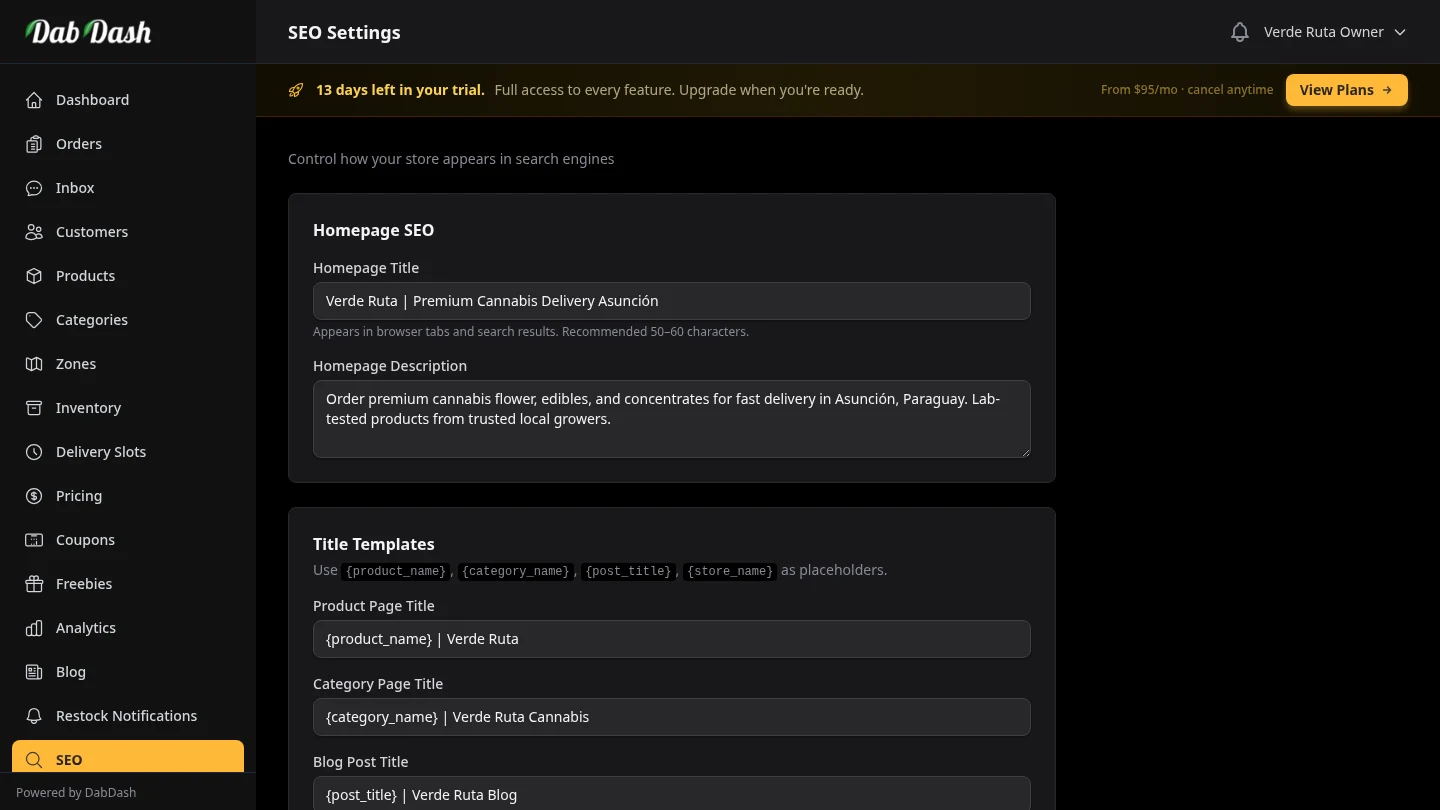
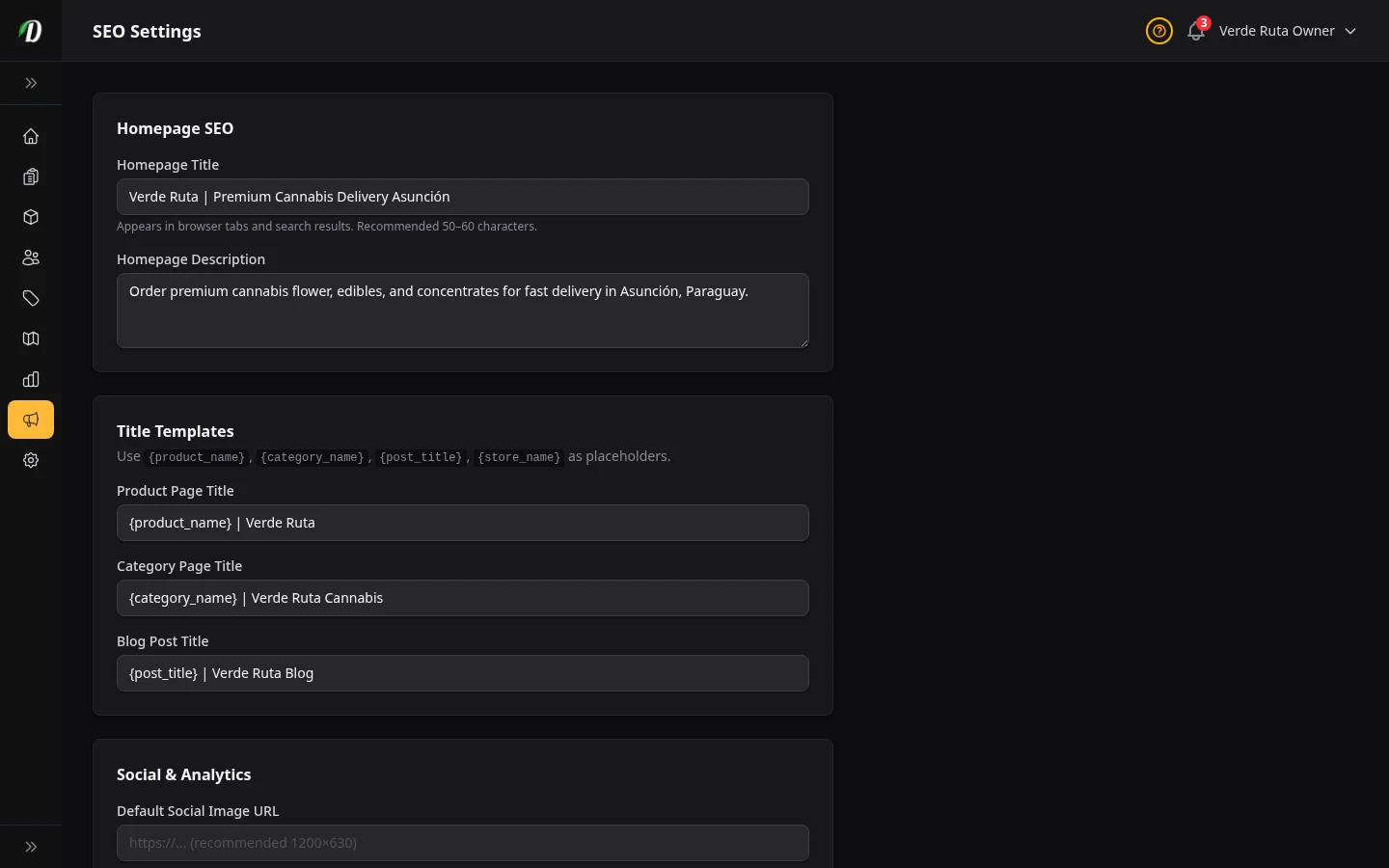
The Homepage SEO fields control what Google and other search engines show for your storefront's main URL. These are the two most visible pieces of SEO for any website.
- Homepage Title
- This is the blue headline people see in Google results. Keep it short (about 50-60 characters). Good format: Store Name — Cannabis Delivery in City.
- Homepage Description
- This is the short gray text under your headline in Google. Aim for about 150-160 characters. Include what you sell, where you deliver, and a clear action. Example: Order premium cannabis delivered to your door. Green Leaf Dispensary serves Los Angeles with same-day delivery.
Title Templates
Title templates let you define a consistent title pattern for your product pages, category pages, and blog posts — without writing a custom title for every single item.
Text Tags You Can Reuse
- Replaced with the product's name — e.g. Blue Dream 3.5g
- Replaced with the category's name — e.g. Edibles
- Replaced with the blog post's title
- Replaced with your business name from General Settings
{product_name}
{category_name}
{post_title}
{store_name}
Template Fields
- Product Page Title
- Applied to every product page. Recommended template:
{product_name} | {store_name}— produces titles like OG Kush 1g | Green Leaf Dispensary. - Category Page Title
- Applied to every category listing page. Recommended:
{category_name} | {store_name}— produces Concentrates | Green Leaf Dispensary. - Blog Post Title
- Applied to every blog post. Recommended:
{post_title} | {store_name} Blog— produces What is Live Resin? | Green Leaf Dispensary Blog. Including "Blog" helps readers and search engines recognize the content type.
Sitemap
When enabled, DabDash creates a sitemap at /sitemap.xml.
This file lists your product pages, category pages, and blog posts so search engines can find them faster.
How to Submit Your Sitemap
- Enable the sitemap switch and save SEO Settings.
- Visit
yourslug.dabdash.com/sitemap.xml(or your custom domain) to confirm it loads. - Open Google Search Console and navigate to Sitemaps (under Indexing).
- Paste your sitemap URL and click Submit.
Google typically processes submitted sitemaps within a few days. New products and blog posts are included in the sitemap automatically — you do not need to resubmit after adding content.
Quick SEO Tips for Cannabis Retailers
- Include your city in the homepage title. Most cannabis buyers search locally — "cannabis delivery Los Angeles" — so your city name in the title is one of the highest-value keywords you have.
- Write unique product descriptions. DabDash uses your product description as the search snippet for each product page. Longer, unique descriptions usually perform better than generic strain names.
- Publish blog posts regularly. Each blog post is an indexed page. Posts about strains, effects, and local cannabis culture attract search traffic and link back to your product pages.
- Verify with Google Search Console early. Verification only needs to happen once. After that, Search Console shows you exactly which queries bring visitors to your store — invaluable data for improving your SEO over time.
Social & Analytics
Connect your store to Google tools and control how shared links look on social apps.
greenleafla.G-XXXXXXXXXX. This lets you track visits, traffic sources, and conversions in Google Analytics.