Full Product Tour

See every feature
before you sign up

Walk through DabDash — from your dashboard to your delivery zones. Real screenshots. No demo login required.

No credit card required. 7-day free trial. Cancel anytime.

Dashboard
customize view

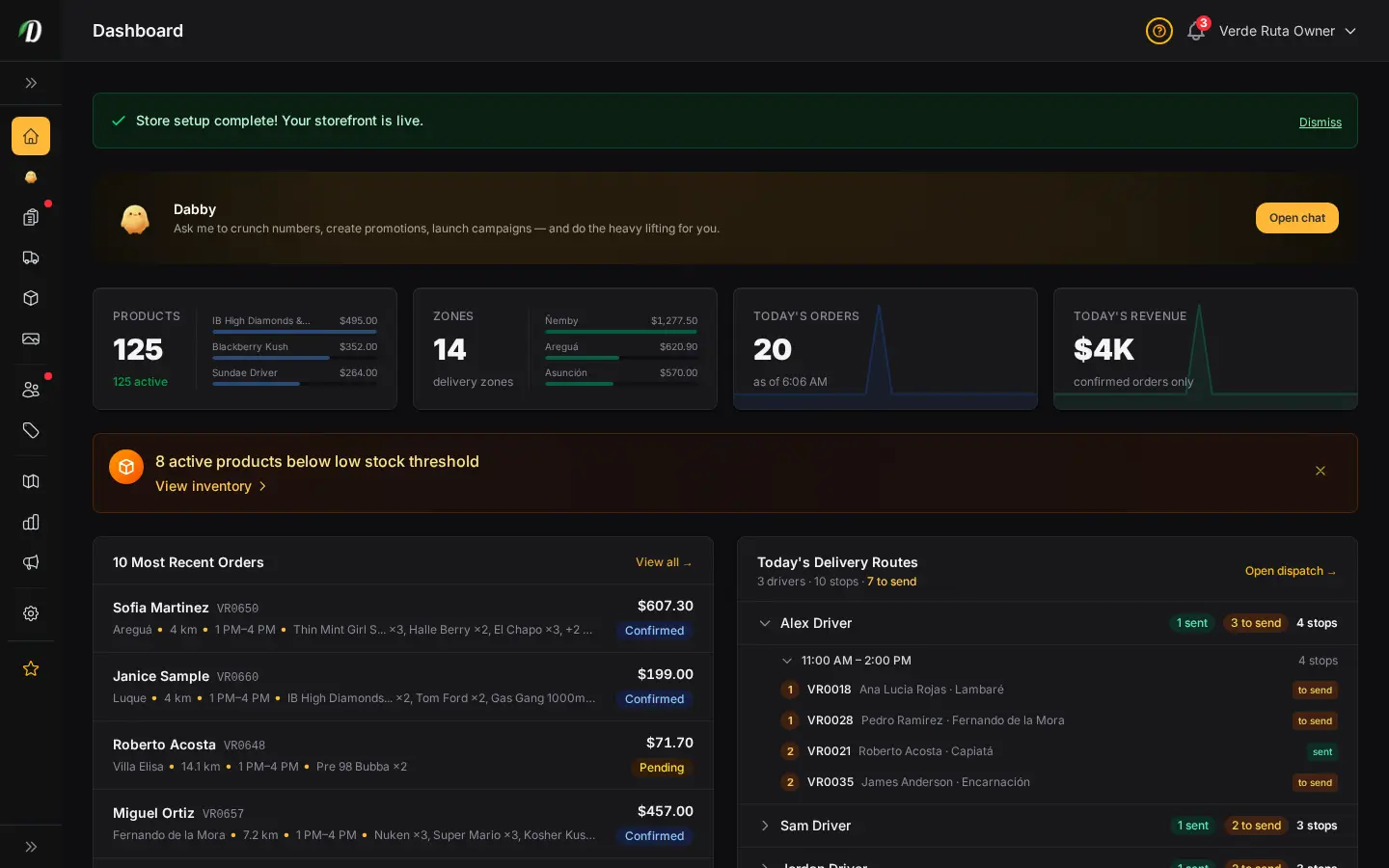
Your business at a glance

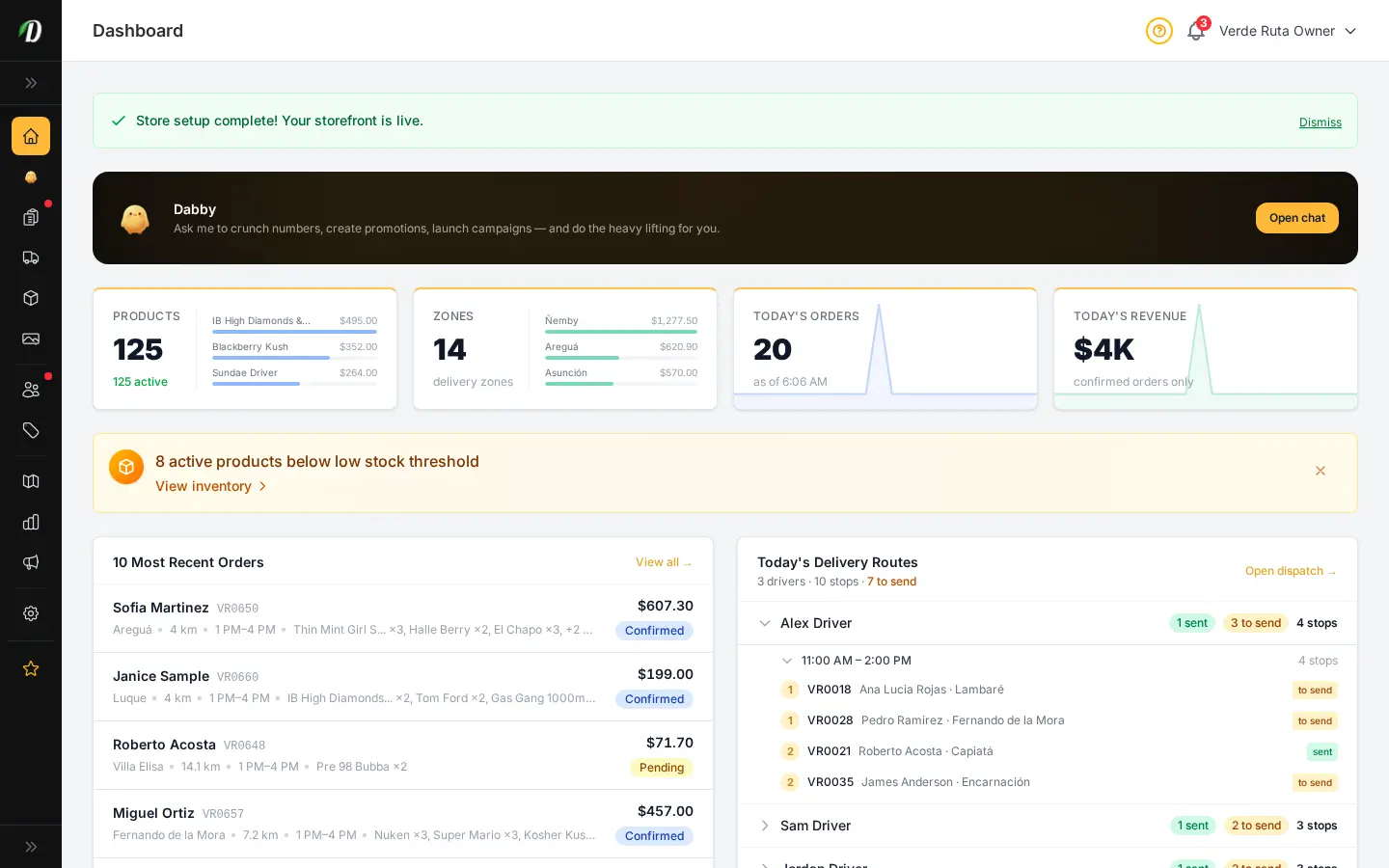
The moment you log in, you see exactly where your business stands. Product counts, active delivery zones, today's orders, and revenue — all on a single screen. Low stock alerts surface problems before they cost you sales.

  • Real-time order count and revenue stats
  • Low stock alerts with direct links to inventory
  • Onboarding checklist for new stores
  • Quick actions: add product, create zone, update stock
  • Recent orders with status badges
DabDash vendor dashboard showing product count, zone count, today's orders, revenue, and recent order list
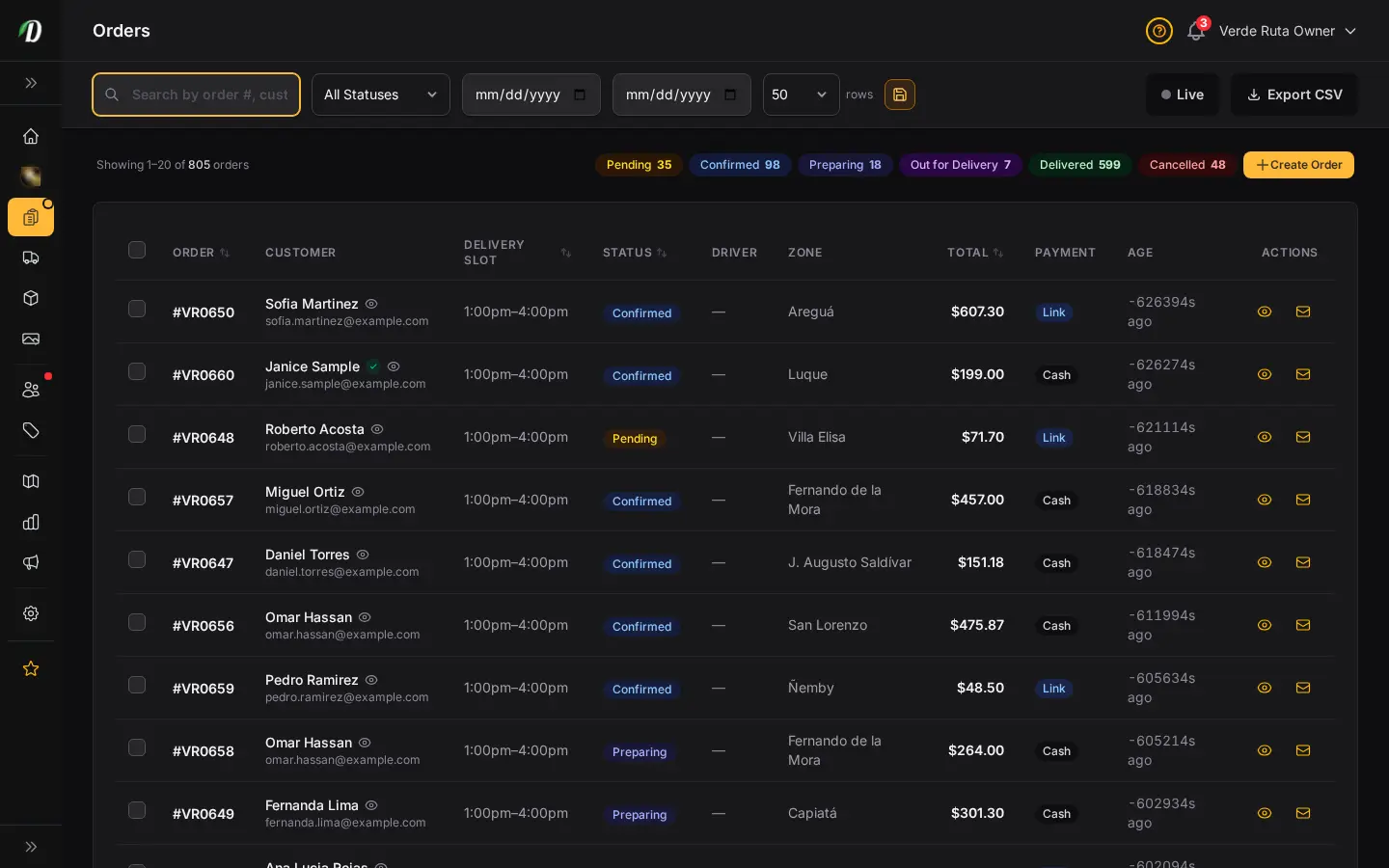
DabDash order management table showing orders with status badges, customer names, and totals
DabDash order detail view showing line items, customer info, and delivery details
DabDash order management table showing orders with status badges, customer names, and totals — mobile view
DabDash order detail view showing line items, customer info, and delivery details — mobile view
Orders

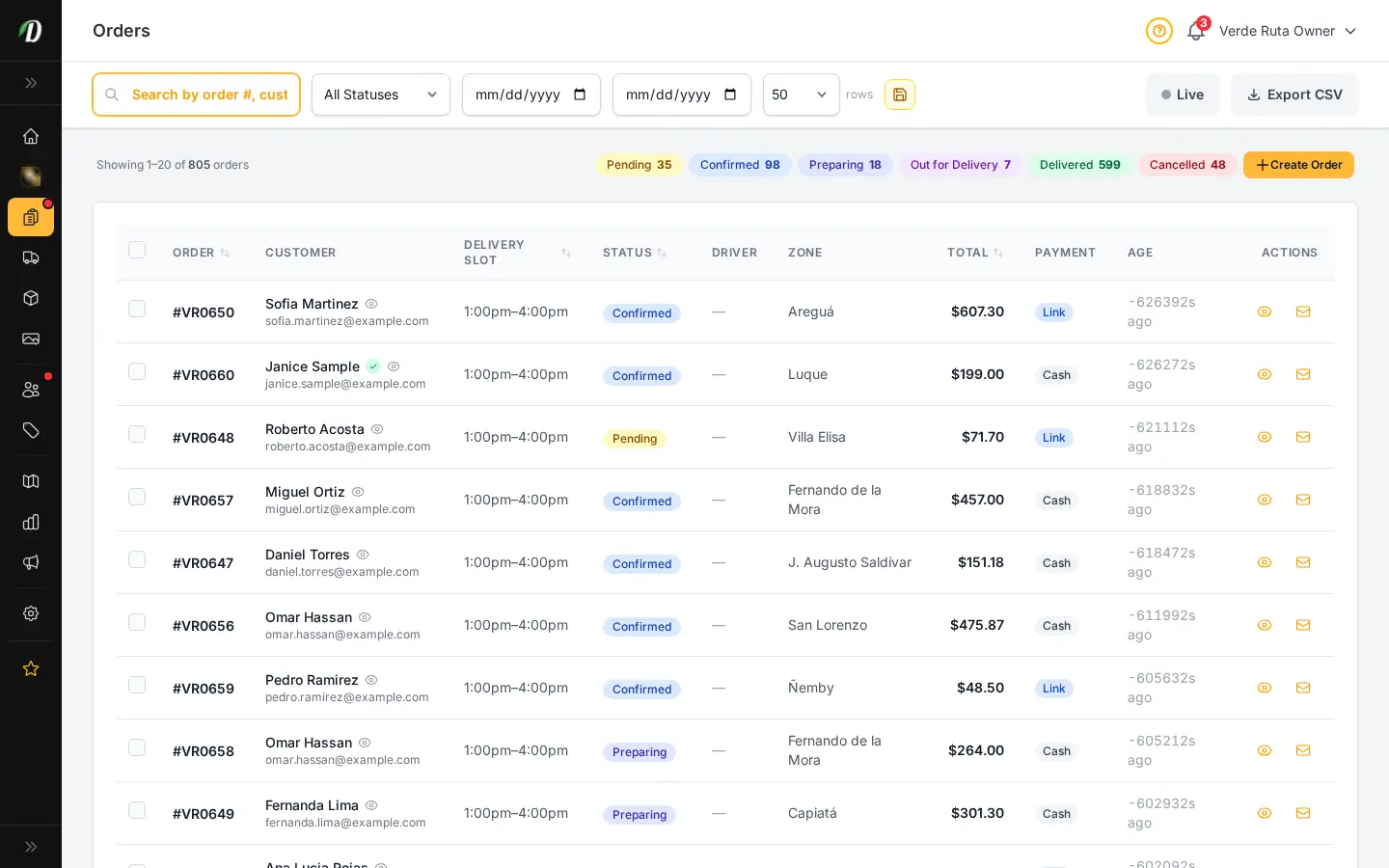
Every order, tracked from start to finish

See all your orders in one filterable table — pending, confirmed, out for delivery, completed, or cancelled. Click any order for the full detail view with customer info, line items, delivery zone, fees, and payment status.

  • Filterable order table with status badges
  • Detailed order view with line items and totals
  • Order status management (confirm, dispatch, complete, cancel)
  • PDF invoice and packing slip generation
  • CSV export with date and status filters
In-App Notifications

Order alerts that follow you everywhere

Every new order triggers a real-time notification in your admin — a bell icon with an unread count so nothing slips by. View your full notification feed, mark items read, and configure which events trigger push alerts to your phone.

  • Bell icon with unread badge in admin header
  • Paginated notification feed with timestamps
  • New order, low stock, and restock alerts
  • Mark all as read in one click
  • Push notifications to mobile (FCM)
DabDash vendor notification feed showing new order alerts with timestamps and mark-all-as-read action
Customers

Know your customers by name

Every customer who creates an account appears in your customer directory. See their order history, total spend, loyalty points, and saved addresses. Click through for the full profile.

  • Searchable customer list with order count and total spend
  • Individual customer profiles with order history
  • Loyalty point balances per customer
  • Saved addresses for faster repeat orders
DabDash customer directory with order count, total spend, and loyalty points per customer
DabDash individual customer profile with order history and saved addresses
DabDash customer directory with order count, total spend, and loyalty points per customer — mobile view
DabDash individual customer profile with order history and saved addresses — mobile view
DabDash vendor inbox showing customer conversation list with unread badges and live strain recommendation thread
DabDash vendor inbox conversation thread showing professional order issue resolution between agent and customer
DabDash vendor inbox showing customer conversation list with unread badges and live strain recommendation thread — mobile view
DabDash vendor inbox conversation thread showing professional order issue resolution between agent and customer — mobile view
Customer Inbox

Talk to your customers in real time

Answer delivery questions, recommend strains, and resolve order issues without leaving the dashboard. Every conversation is saved, searchable, and organized by status so nothing slips through the cracks.

  • Live chat widget embedded on your storefront
  • Inbox with unread badges and conversation status
  • Full message thread with visitor and agent bubbles
  • Strain recommendations, delivery questions, order issues
  • Closed conversation archive for follow-up reference
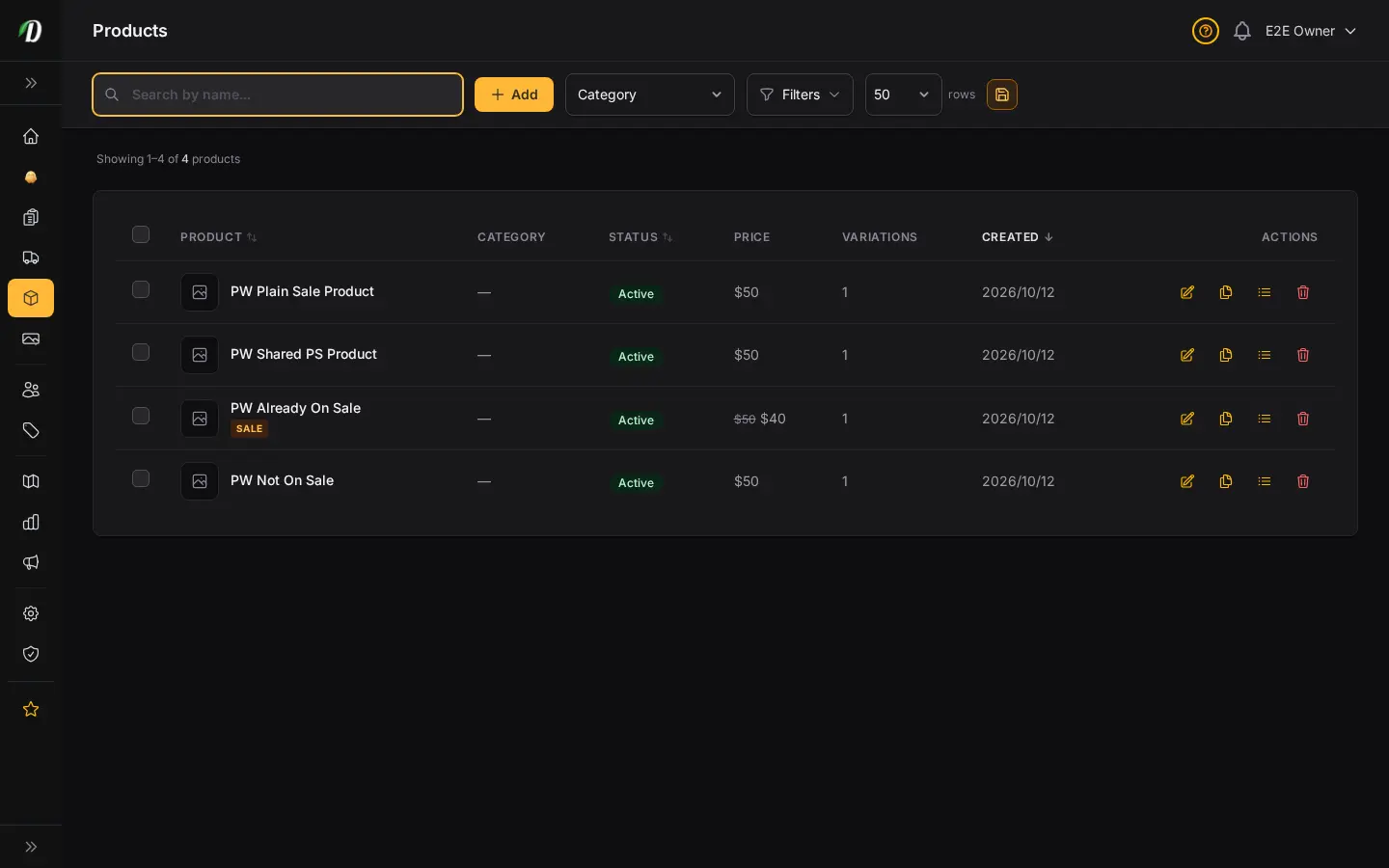
DabDash product catalog listing with strain types, pricing, and stock status
DabDash product editor showing weight variations, pricing, and strain details
DabDash product catalog listing with strain types, pricing, and stock status — mobile view
DabDash product editor showing weight variations, pricing, and strain details — mobile view
Products

Your full product catalog, beautifully organized

Add flowers, edibles, concentrates, topicals, and accessories with all the detail your customers expect. Strain data auto-fill, weight-based or unit-based variations, gallery images, and built-in SEO fields.

  • Strain auto-fill from built-in cannabis strain database
  • Weight presets (1g, 3.5g, 7g, 14g, 28g) and custom variations
  • Featured image upload with strain image fallback
  • SEO fields for meta title, description, and Open Graph
  • Filterable product index with status tabs and search
  • Bulk actions: activate, archive, delete
Product Creation

From blank form to live product in minutes

The product creation form is straightforward: name, strain type, description, category, weight variations, and pricing. Pick a strain from the built-in database and THC/CBD percentages, effects, and flavors auto-fill. Upload a featured image or it falls back to the strain's photo.

  • Strain auto-fill from 14,000+ strain database
  • Weight presets and custom variation names
  • Featured image upload with strain image fallback
  • Price per variation with optional sale price
  • SEO fields: meta title, description, Open Graph
DabDash bulk strain enrich modal showing AI-assisted auto-fill of THC percentages, effects, and flavors across multiple products
DabDash product editor with featured image uploaded, showing image preview and product ready to publish
DabDash bulk strain enrich modal showing AI-assisted auto-fill of THC percentages, effects, and flavors across multiple products — mobile view
DabDash product editor with featured image uploaded, showing image preview and product ready to publish — mobile view
DabDash product editor showing custom standard weight variations with per-variation pricing and SKU fields
DabDash product index with all products selected and floating bulk action bar showing activate, archive, and delete
DabDash bulk strain enrich modal showing AI-assisted auto-fill of THC percentages, effects, and flavors across multiple products
DabDash product editor showing custom standard weight variations with per-variation pricing and SKU fields — mobile view
DabDash product index with all products selected and floating bulk action bar showing activate, archive, and delete — mobile view
DabDash bulk strain enrich modal showing AI-assisted auto-fill of THC percentages, effects, and flavors across multiple products — mobile view
Variations & Bulk Enrich

Complex pricing made simple — at any scale

Build custom weight variations with per-variation pricing and SKU fields. For large catalogs, bulk-select products and enrich them all at once — DabDash matches each product to its strain and fills in cannabinoid data, effects, and flavors in a single operation.

  • Custom variation names and per-SKU pricing
  • Select all / select page for bulk operations
  • Bulk activate, archive, or delete products
  • AI-assisted bulk strain enrich for large catalogs
  • THC, CBD, effects, and flavors auto-filled across multiple products
Categories

Organize by category, sell by intent

Create categories like Flower, Edibles, Concentrates, Pre-Rolls, and Topicals. Each category has its own name, slug, description, and display order. Customers browse your store by category — make it intuitive for them.

  • Unlimited categories with custom slugs
  • Category descriptions for storefront SEO
  • Product count per category at a glance
  • Edit categories inline
DabDash category management list with product counts
DabDash category editor with name, slug, description, and image fields
DabDash category management list with product counts — mobile view
DabDash category editor with name, slug, description, and image fields — mobile view
DabDash zone editor with interactive map drawing and fee configuration
DabDash delivery zones list with status, fees, and coverage map
DabDash zone editor with interactive map drawing and fee configuration — mobile view
DabDash delivery zones list with status, fees, and coverage map — mobile view
Delivery Zones

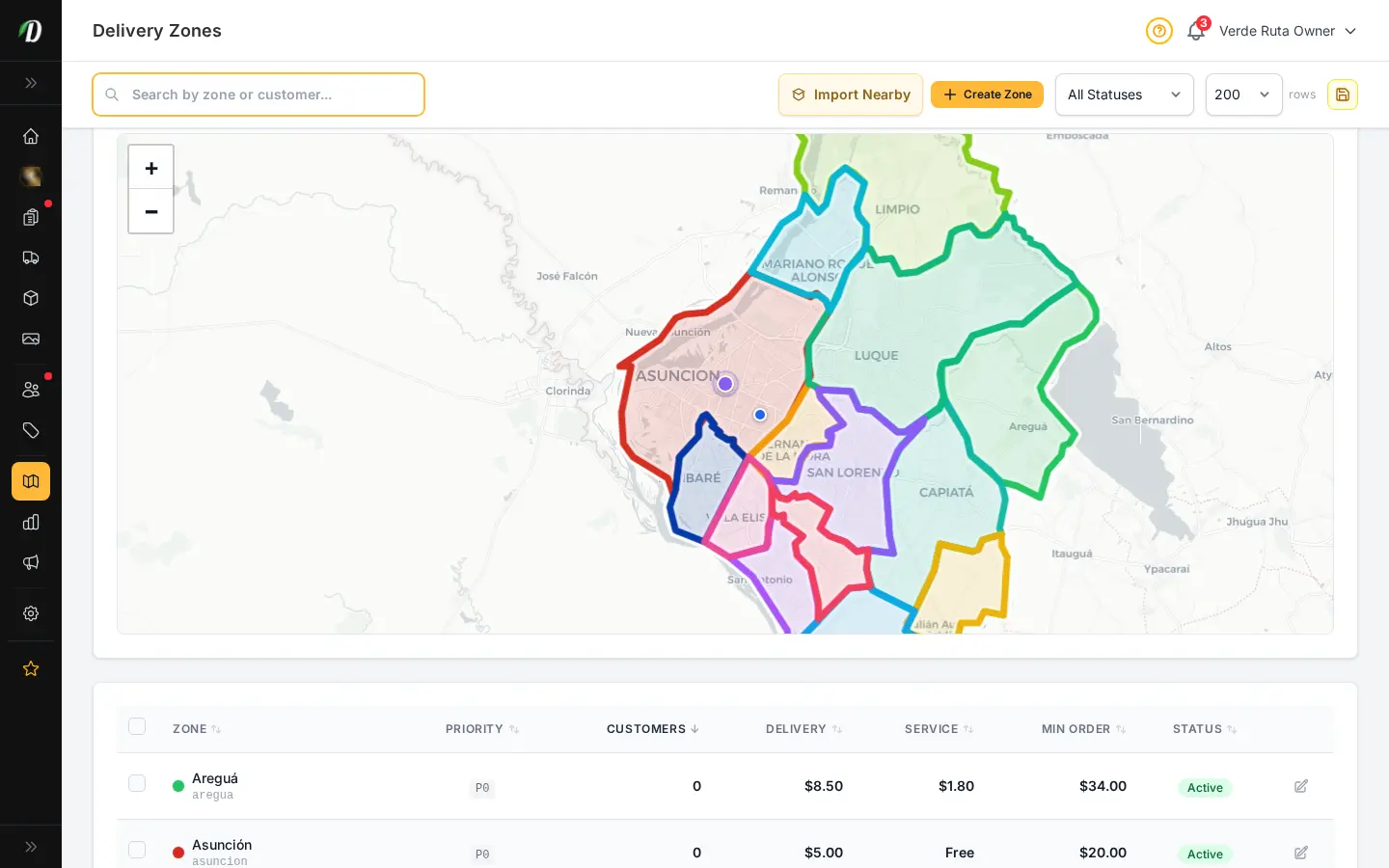
Draw your delivery area on a real map

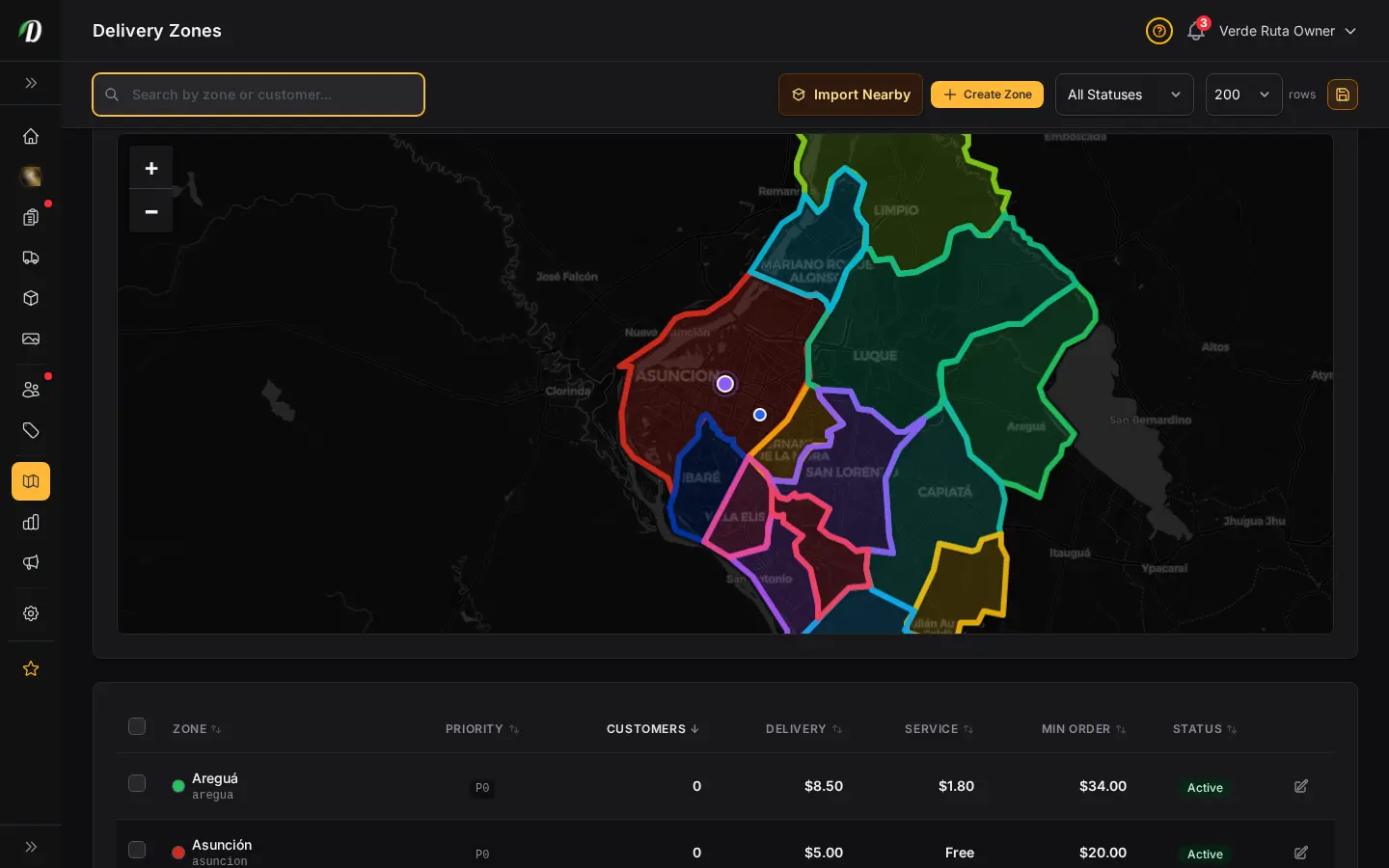
DabDash uses an interactive Leaflet map editor backed by OpenStreetMap. Draw custom polygon zones, set per-zone delivery fees, service fees, and minimum order amounts. Reference existing zones while creating new ones so your coverage never overlaps.

  • Interactive polygon drawing on real-world maps
  • Per-zone delivery fee and service fee
  • Per-zone minimum order amount
  • Color-coded zones for visual clarity
  • Auto zone detection by customer address
  • Activate or deactivate zones instantly
Inventory

Track every gram, log every change

Manage stock levels for all your products from one central dashboard. Every stock adjustment — whether from an order, a manual update, or a restock — is logged in the audit trail with the exact timestamp, user, reason, and quantity change.

  • Central inventory dashboard with stock levels for every product
  • Weight-tracked (grams) and unit-tracked product support
  • Full audit log of every inventory change
  • Adjustment reasons: sale, restock, manual, damage
  • Low stock threshold alerts
  • CSV export of audit log
DabDash inventory manager showing zone-specific stock levels per product
DabDash inventory audit log showing all stock changes with timestamps
DabDash inventory manager showing zone-specific stock levels per product — mobile view
DabDash inventory audit log showing all stock changes with timestamps — mobile view

Your territory. Your inventory. Fully controlled.

Draw zones on a real map. Track stock to the gram. Every change logged.

Start Free Trial
DabDash delivery slot manager showing available time windows by zone
Delivery Slots

Let customers pick their delivery window

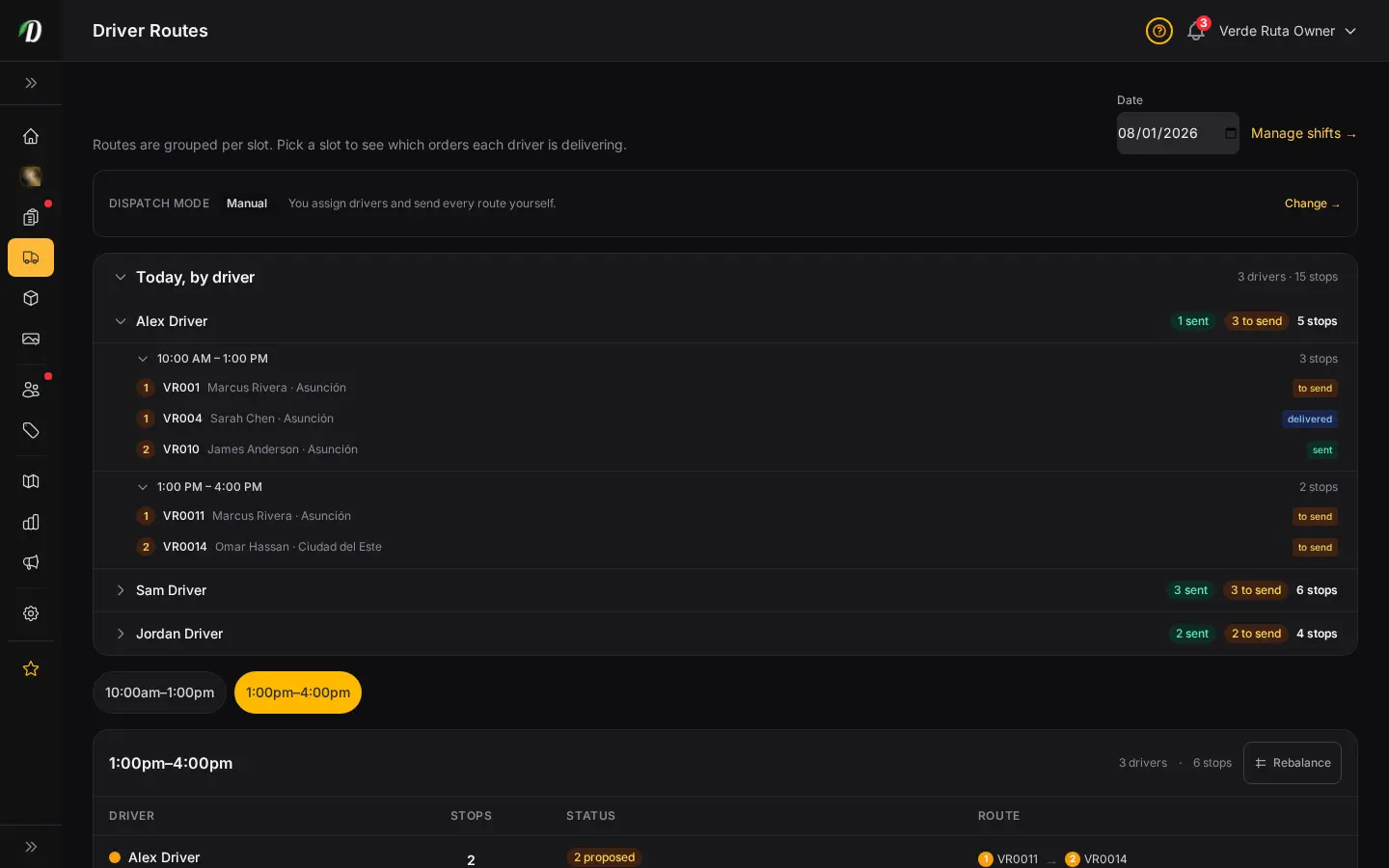
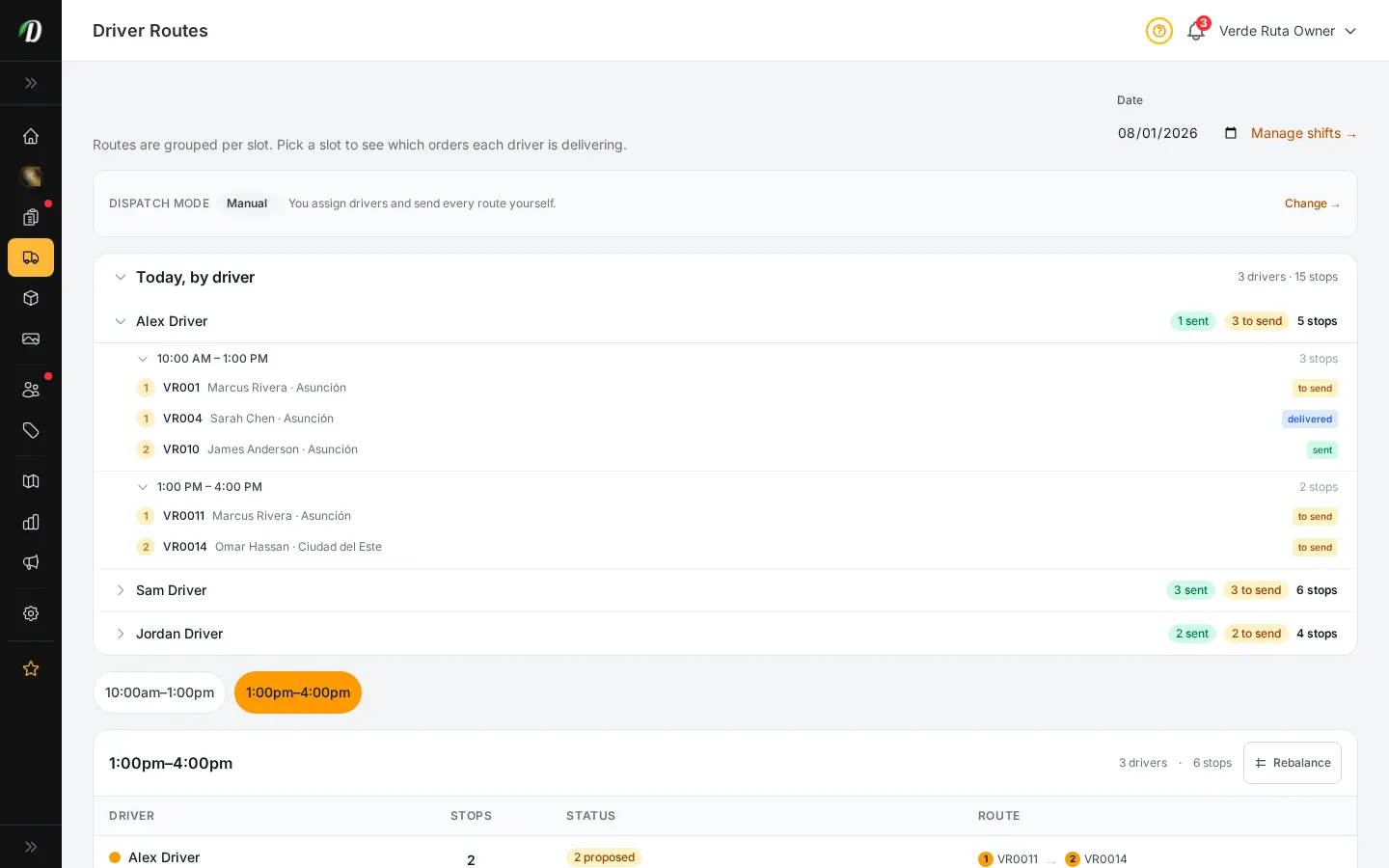
Create delivery time windows so customers can choose when their order arrives. Set capacity limits per slot, specify available days of the week, and define time windows that match your driver schedules.

  • Configurable time windows (e.g., 10am–12pm, 2pm–4pm)
  • Per-slot capacity limits
  • Day-of-week scheduling
  • Customers select their preferred slot at checkout
Pricing Structures

Mix & match pricing that sells itself

Create weight-based pricing tiers so customers automatically get discounts when they buy more. Build mix & match structures that combine products from different categories into a single discounted weight. The bigger the order, the better the deal — and it calculates automatically.

  • Weight-based pricing tiers (1g, 3.5g, 7g, 14g, 28g)
  • Mix & match across categories for combined weight discounts
  • Per-tier price overrides
  • Automatic discount calculation at checkout
  • Multiple pricing structures for different product groups
DabDash pricing structure creation form showing mix and match toggle, weight tier configuration, and discount percentage fields
DabDash pricing structures list with mix and match configurations
DabDash pricing tier editor showing volume discount thresholds
DabDash pricing structure creation form showing mix and match toggle, weight tier configuration, and discount percentage fields — mobile view
DabDash pricing structures list with mix and match configurations — mobile view
DabDash pricing tier editor showing volume discount thresholds — mobile view
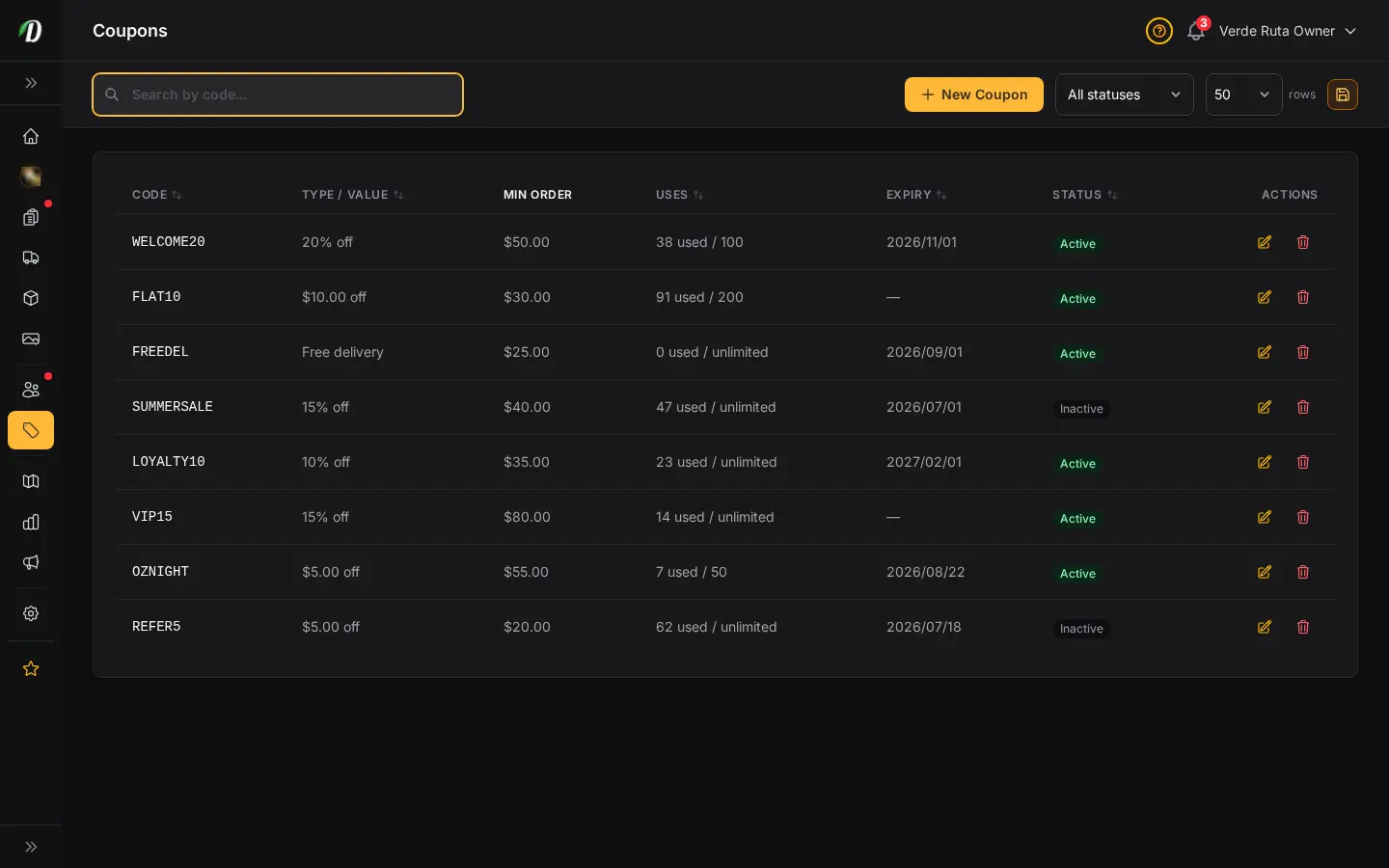
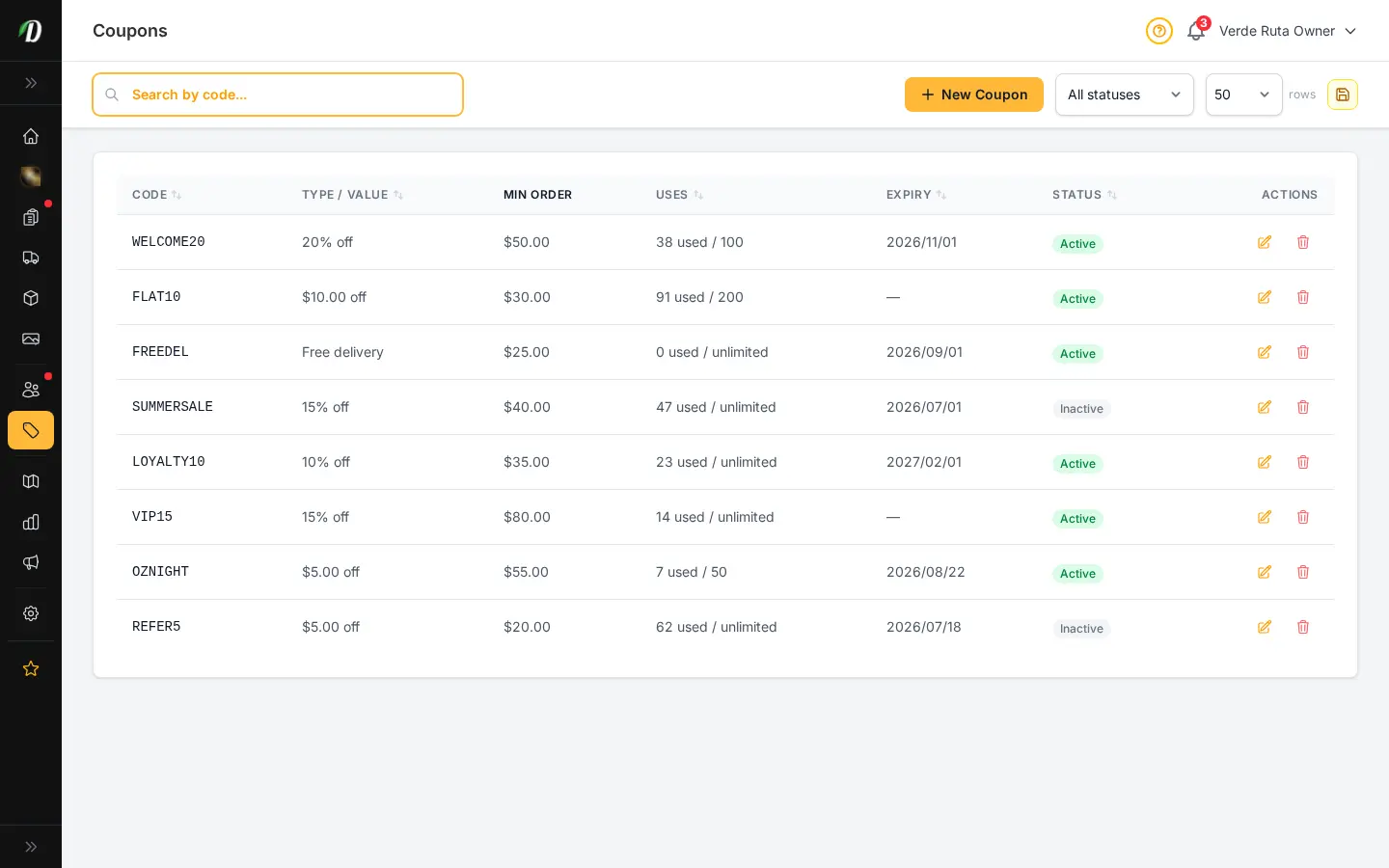
DabDash coupon manager with discount codes, types, and usage stats
Coupons

Discount codes that drive repeat business

Create percentage or fixed-amount coupon codes with usage limits, expiration dates, and minimum order requirements. Track redemption counts in real time.

  • Percentage or fixed-amount discounts
  • Per-coupon usage limits
  • Expiration dates
  • Minimum order amount requirements
  • Real-time redemption tracking
Freebies

Reward big spenders with free products

Set spend thresholds that automatically add free products to the customer's cart. Spend $100, get a free pre-roll. Spend $200, get a free edible. Customers see the freebie appear at checkout — it drives conversion and increases average order value.

  • Spend-threshold based automatic freebies
  • Choose which products are given free
  • Multiple tiers for escalating rewards
  • Visible to customers at checkout for conversion
DabDash freebies manager showing automatic reward threshold rules
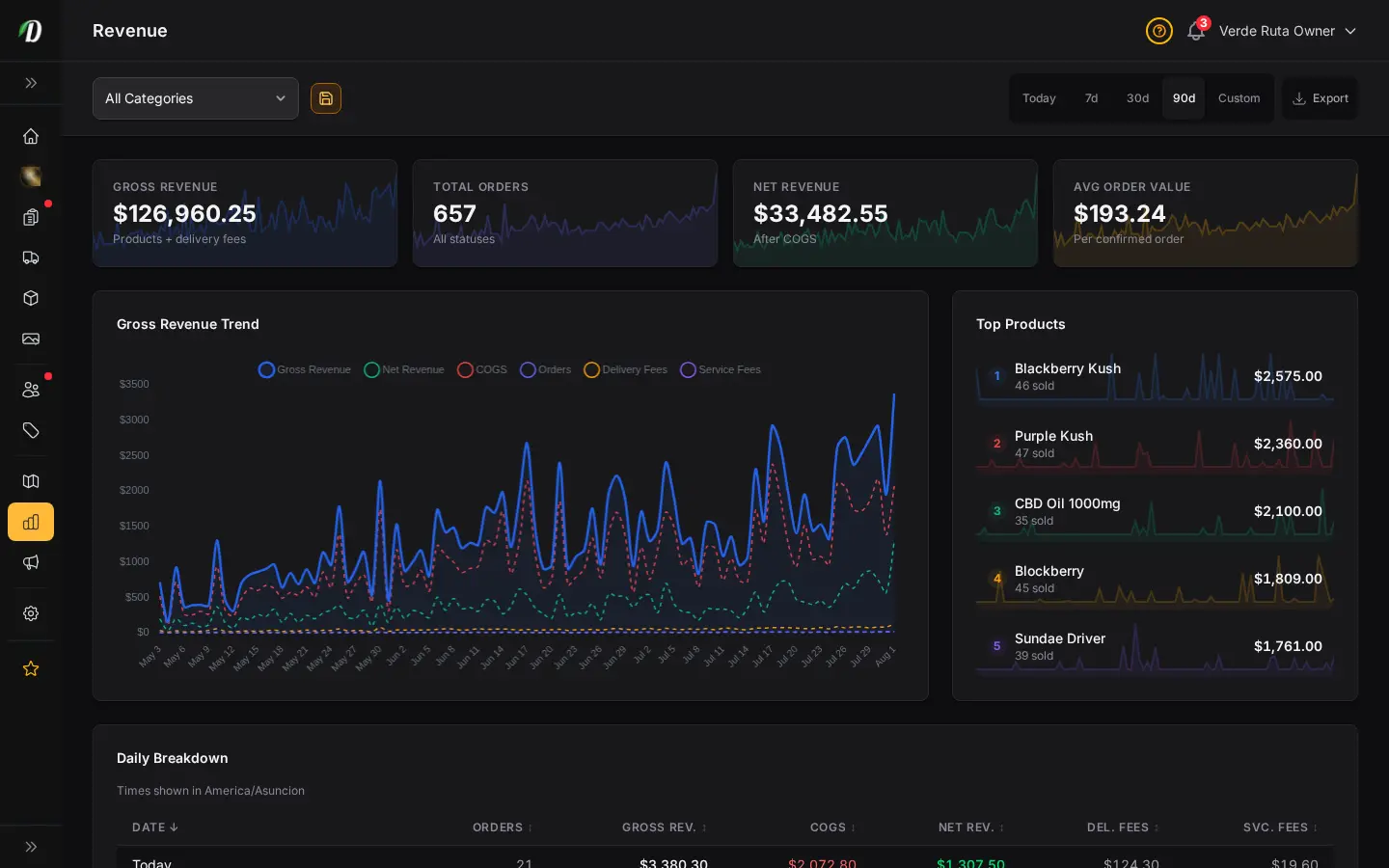
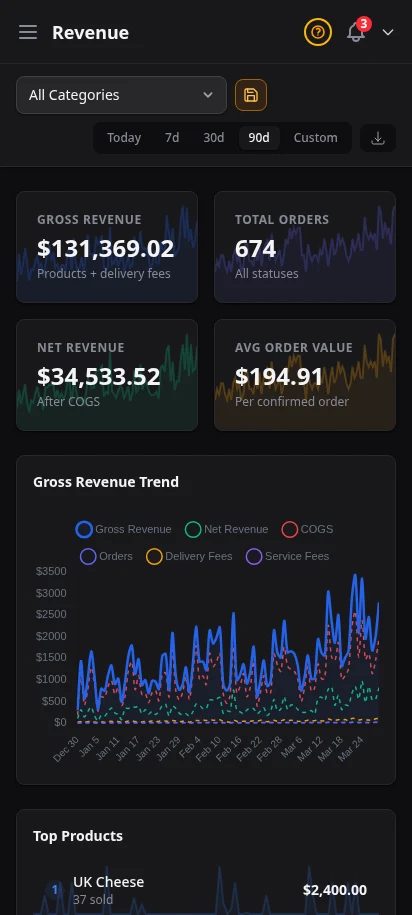
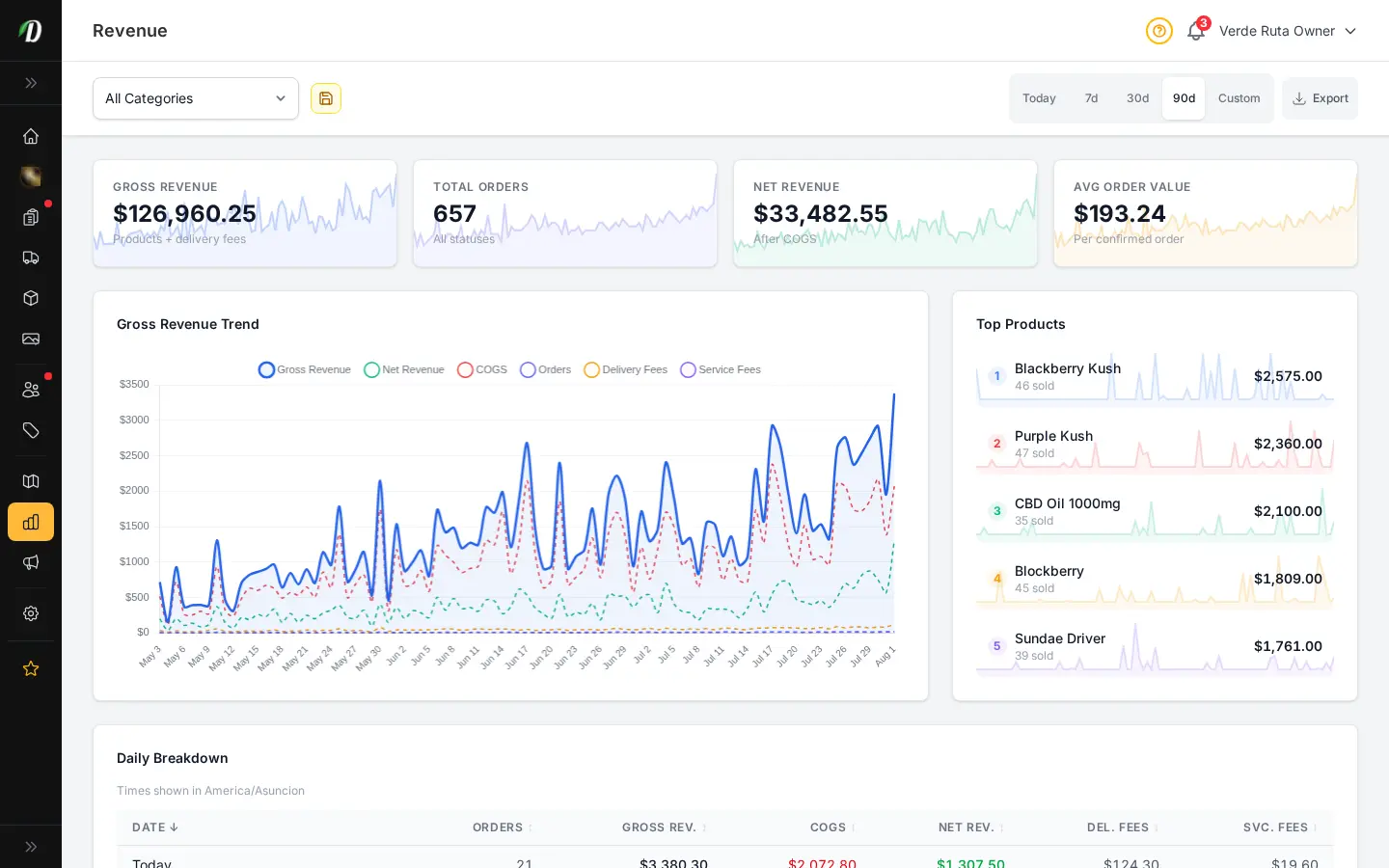
DabDash analytics dashboard with revenue, order count, and top products charts
DabDash analytics showing 90-day revenue trend and customer acquisition data
DabDash analytics dashboard with revenue, order count, and top products charts — mobile view
DabDash analytics showing 90-day revenue trend and customer acquisition data — mobile view
Analytics

Data-driven decisions, not guesswork

See revenue over time, top-selling products, orders by status, and sales trends across custom date ranges. Switch between 7-day, 30-day, and 90-day views. Export everything to CSV.

  • Revenue charts with date range selector (7d, 30d, 90d)
  • Top products by sales volume
  • Order breakdown by status
  • CSV export for all analytics data
Vendor Blog

Publish content that brings customers back

Write blog posts directly in your vendor admin. Each post gets its own SEO-friendly page on your storefront. Strain reviews, product announcements, educational content — content marketing builds organic traffic over time.

  • Rich text blog editor
  • SEO-friendly URLs with custom slugs
  • Draft and published status workflow
  • Posts appear on your storefront blog section
  • Featured images per post
DabDash vendor blog post list with published articles and status badges
DabDash blog post editor with title, content, SEO fields, and category selector
DabDash vendor blog post list with published articles and status badges — mobile view
DabDash blog post editor with title, content, SEO fields, and category selector — mobile view
DabDash restock notifications showing customer emails waiting for low-stock products
Restock Notifications

Never lose a sale to "out of stock"

When a product goes out of stock, customers can subscribe to a restock notification. The moment you add stock back, they receive an email automatically. You see all pending notifications in your admin — it's a built-in demand signal.

  • Customer-initiated restock email subscriptions
  • Automatic email when stock is added
  • View all pending notification requests
  • Built-in demand signal for restocking decisions
SEO Settings

Rank higher in local cannabis search

Configure your store's global SEO defaults: meta title, description, and Open Graph image. Every storefront page is server-side rendered for maximum search engine visibility. With the SEO MAX add-on, unlock per-page meta editing, Schema.org customization, and more.

  • Global meta title and description defaults
  • Open Graph image configuration
  • Server-side rendered pages for crawlability
  • SEO MAX add-on: per-page meta editor, Schema.org, redirects
DabDash SEO settings with meta title, description, and Open Graph fields pre-filled

Data-driven growth starts here

Analytics, blog, restock alerts, and SEO tools — all included.

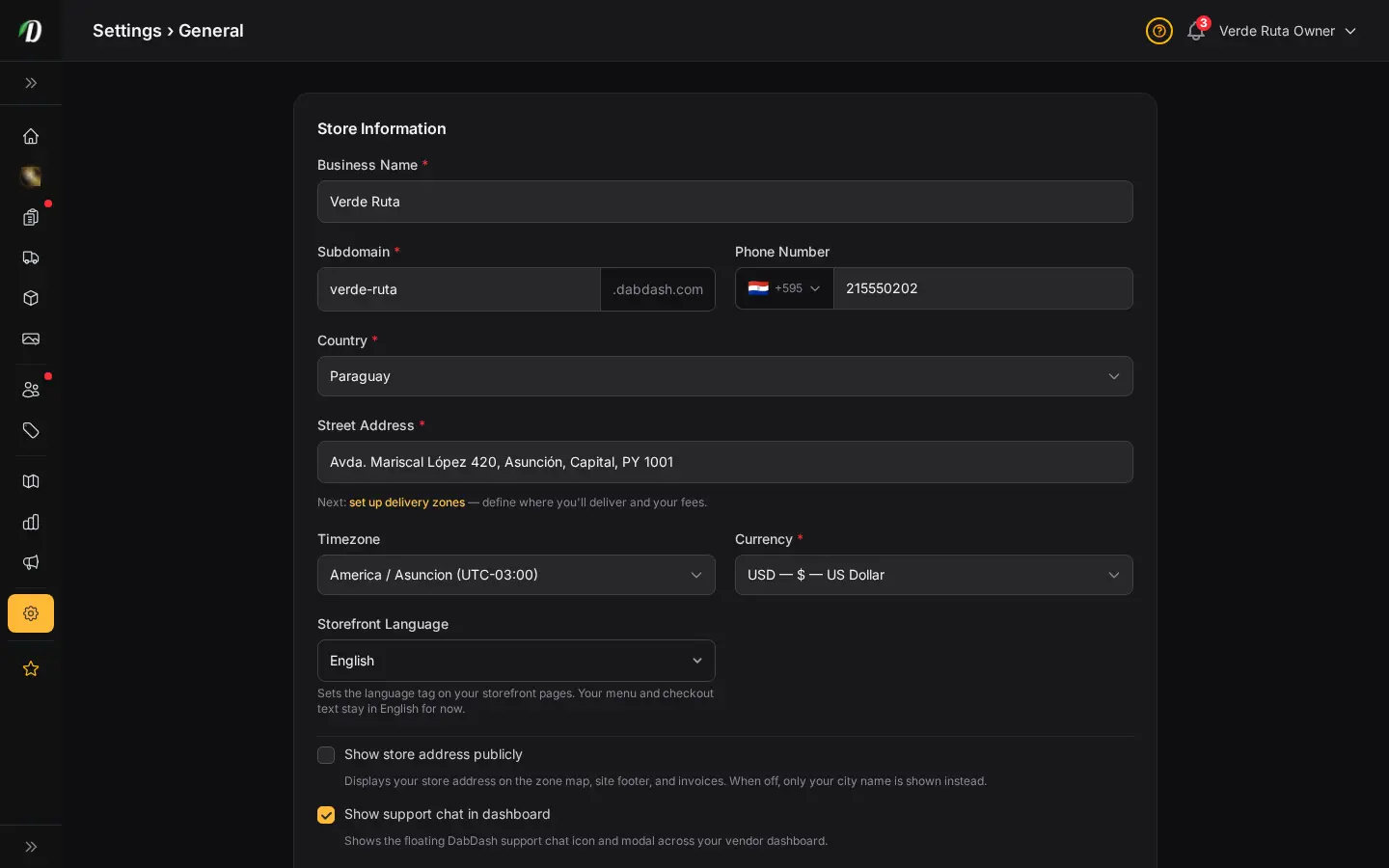
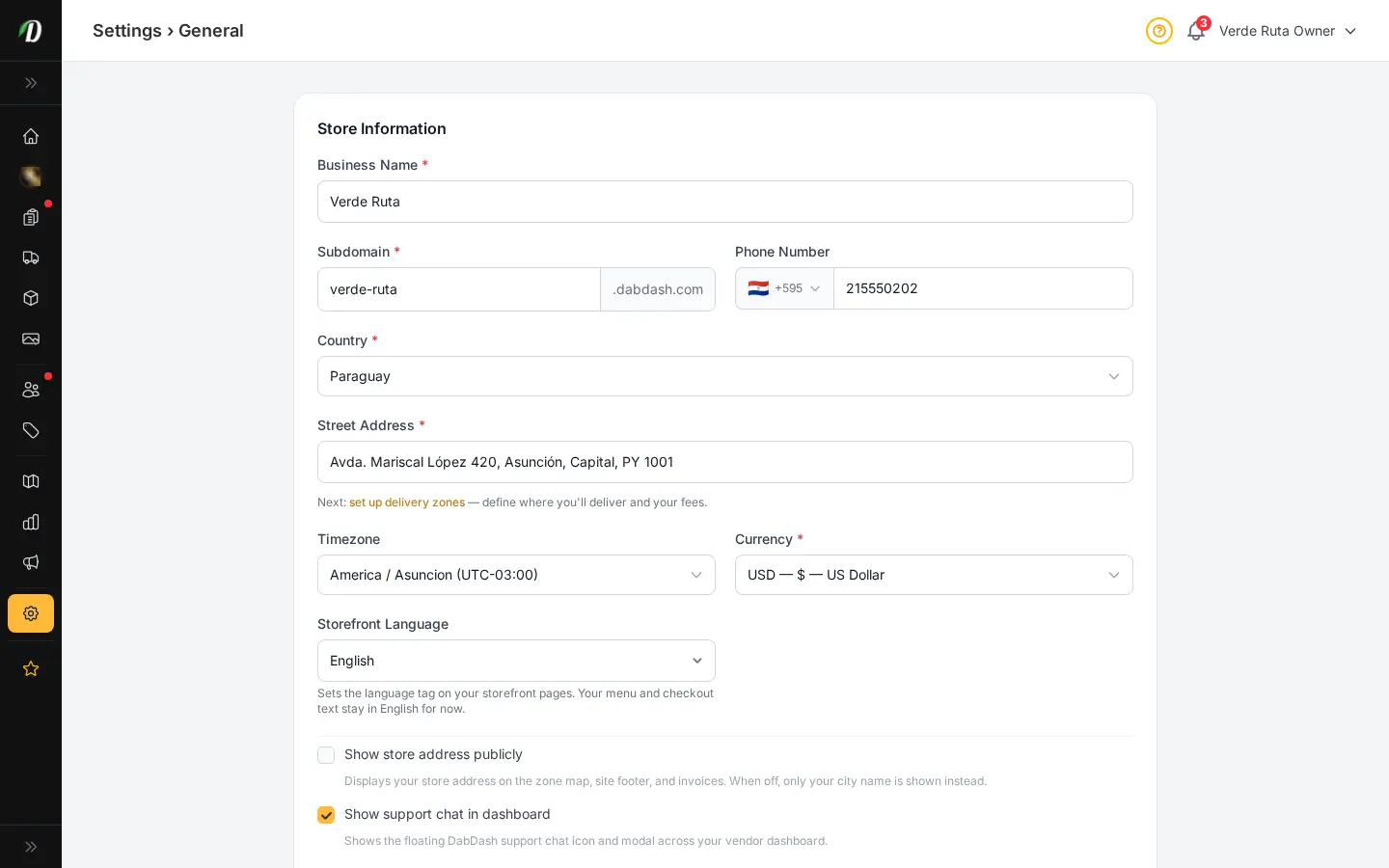
DabDash general settings showing store name, address, phone, and tax configuration
General Settings

Your store, your brand, your way

Set your business name, address, phone number, timezone, and currency. Connect a custom domain with DNS verification. Configure default delivery and service fees. Everything needed to make DabDash yours.

  • Business name, address, and phone
  • Timezone and currency settings
  • Custom domain with DNS verification
  • Default delivery and service fees
Brand & Appearance

Make it look like yours

Upload your logo and favicon. Choose primary and accent colors. Select a font family. Toggle between dark and light mode for your storefront. Set a hero image for your homepage. Your storefront adapts instantly — no code required.

  • Logo and favicon upload
  • Primary and accent color pickers
  • Font family selector (Inter, Poppins, Roboto, and more)
  • Dark/light mode toggle for storefront
  • Homepage hero image
DabDash appearance settings showing logo upload, color pickers, font selector, and dark mode toggle
DabDash notification settings showing toggle switches for order, stock, and restock alerts
Notifications

Stay informed without the noise

Choose which email notifications you receive: new orders, low stock alerts, restock requests. Turn individual notifications on or off to match your workflow.

  • Toggle new order notifications
  • Toggle low stock alerts
  • Toggle restock request alerts
  • Per-notification on/off switches
Live Chat Settings

Live chat on your storefront — fully in your control

Enable the live chat widget on your storefront with a single toggle. Set your availability hours, configure an offline auto-response for after-hours visitors, and control it all from the Chat settings tab. Conversations arrive in your Inbox.

  • Enable/disable chat widget from settings
  • Availability hours per day of week
  • Custom offline auto-response message
  • All conversations centralized in your Inbox
  • No third-party chat service required
DabDash chat settings tab showing live chat widget enable toggle, availability hours, and auto-response configuration

You've seen every feature. Now build your store.

Start your free 7-day trial. No credit card required. Full access from day one.

Customize your view

Choose how you'd like to see the screenshots.

Device

Theme