Restock Notifications
See which customers are waiting for out-of-stock products to return.
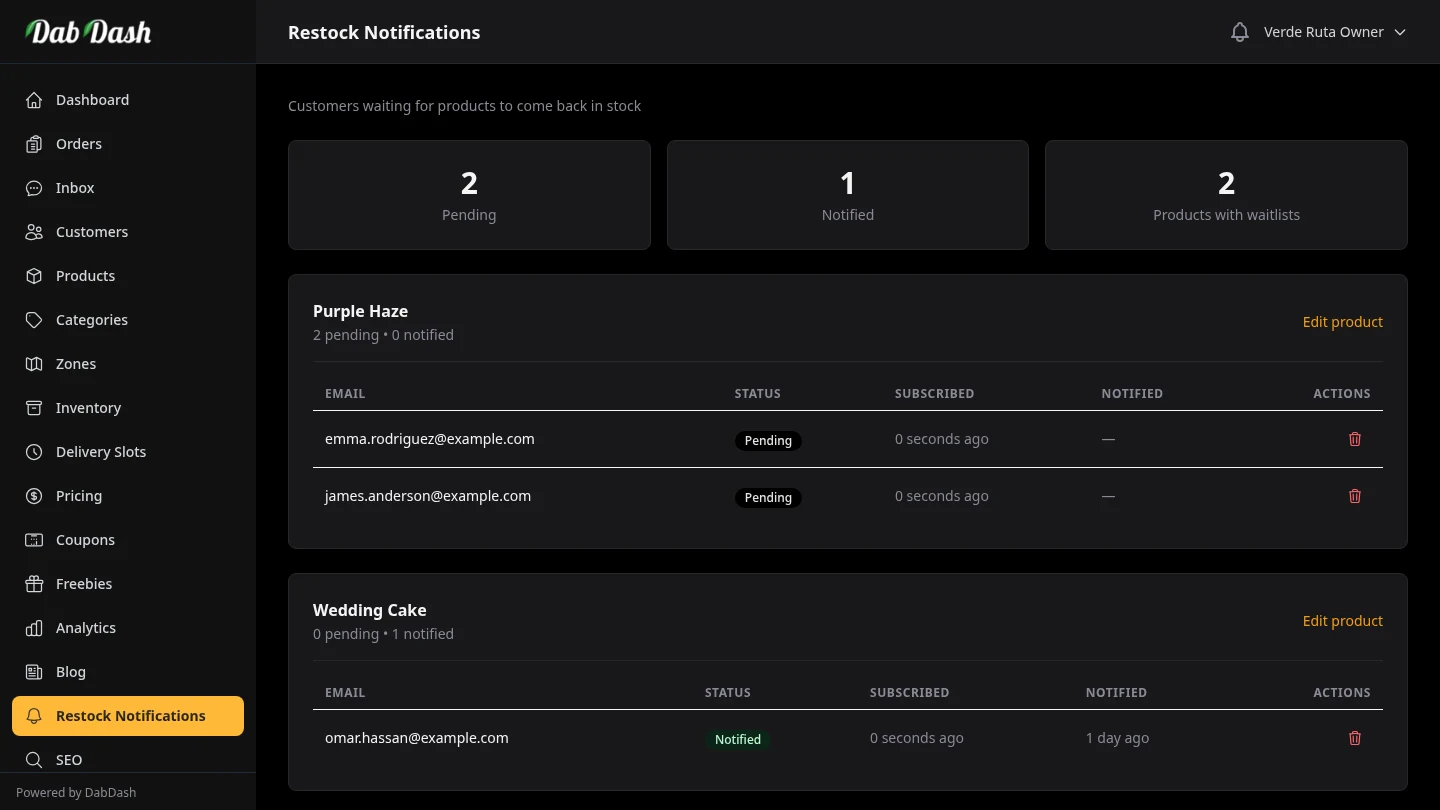
Overview
When a product is out of stock, customers can ask for a restock email. DabDash saves these requests and sends emails automatically when stock goes above zero.
This page shows who is waiting for each product, so you can restock the right items first.
Summary Cards
- Pending
- The number of subscriptions where the customer has not yet been notified. These customers are actively waiting — restocking the product will trigger automatic email notifications to all of them.
- Notified
- The number of subscriptions where the customer has already received an email. These are historical records — the customer was informed the product came back in stock.
- Products with Waitlists
- How many distinct products currently have at least one subscriber. Use this to identify which out-of-stock items have the most demand.
Reading a Product Waitlist
Below the summary, each product with subscribers gets its own card. The card header shows the product name, a pending vs notified breakdown, and a link to edit the product.
The table inside each card lists every subscriber with:
- The customer's email address — where the restock notification will be (or was) sent.
- Status
- Notified — email sent. Pending — still waiting for restock.
- Subscribed
- When the customer signed up for the alert.
- Notified
- When the restock email was sent — shows a dash (—) if still pending.
Removing a Subscription
Click the trash icon on any row to remove that request. A confirmation message appears first. Use this for bad email addresses or test entries. Deletion is permanent.
Tips
- Check the Pending count regularly. A high pending count for a product is a strong signal to prioritise restocking it — real demand is waiting.
- When you restock a product and raise its quantity above zero, DabDash automatically sends notifications to all pending subscribers — you don't need to do anything manually.
- Use the Edit product link in a waitlist card to jump directly to that product and update its stock quantity.
- Notified records are kept for your reference. You don't need to delete them — they help you track which customers were previously interested.