Pricing Structures
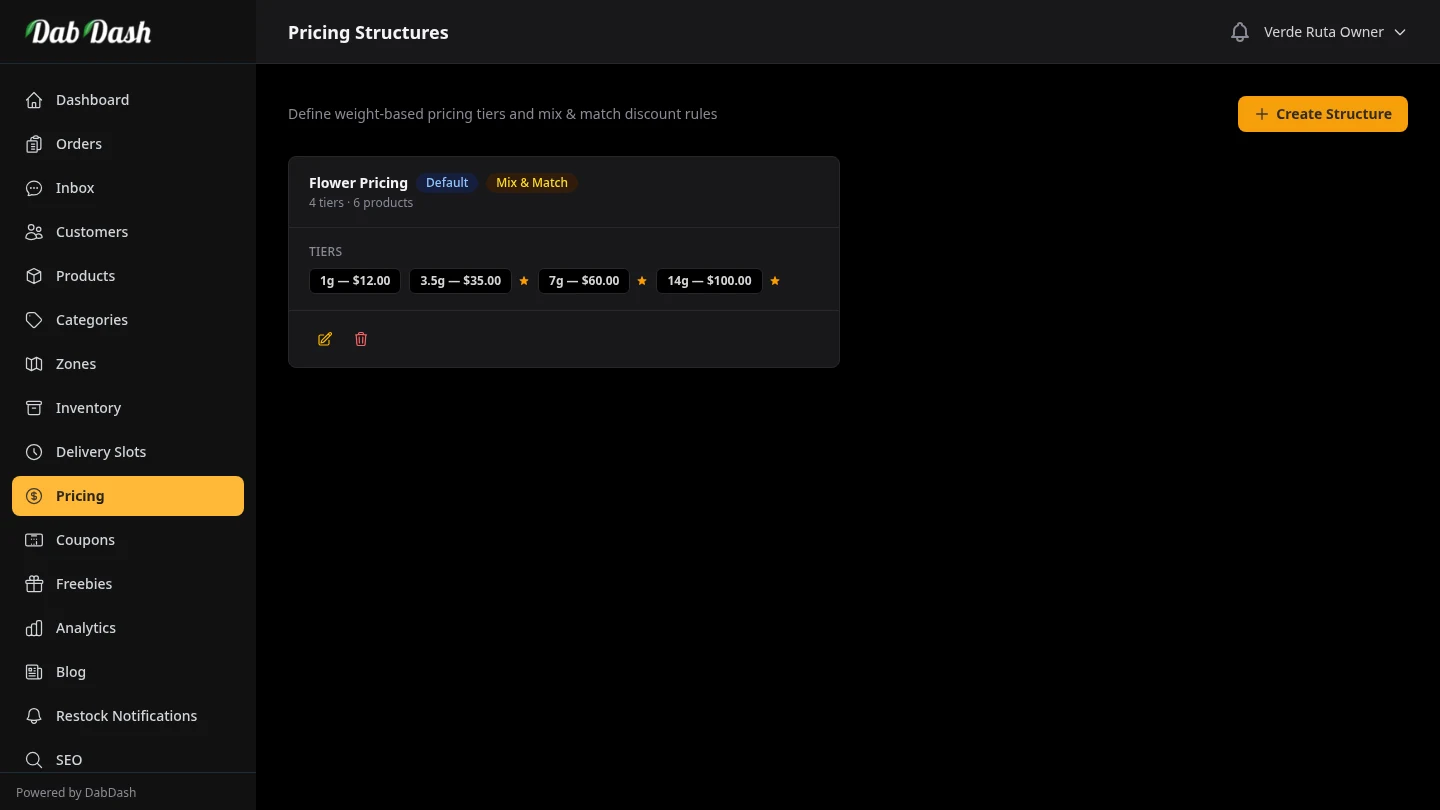
Configure Simple, Weight, Unit, Variation × Weight, and Variation × Unit pricing for cannabis products.
Quick Pick
If you only remember one thing: choose the structure based on how your staff counts stock and how shoppers think about the product.
- Simple: one default option, no customer selector (best for single-option items).
- Weight: best default for flower and hash.
- Unit: best for piece-count products (edibles, disposables, pre-roll packs).
- Variation × Weight: for rare cases like flavored hash where each flavor has gram sizes.
- Variation × Unit: for flavor-based unit packs (for example, gummy flavors in 1, 3, 5 pack sizes).
Where To Set This Up
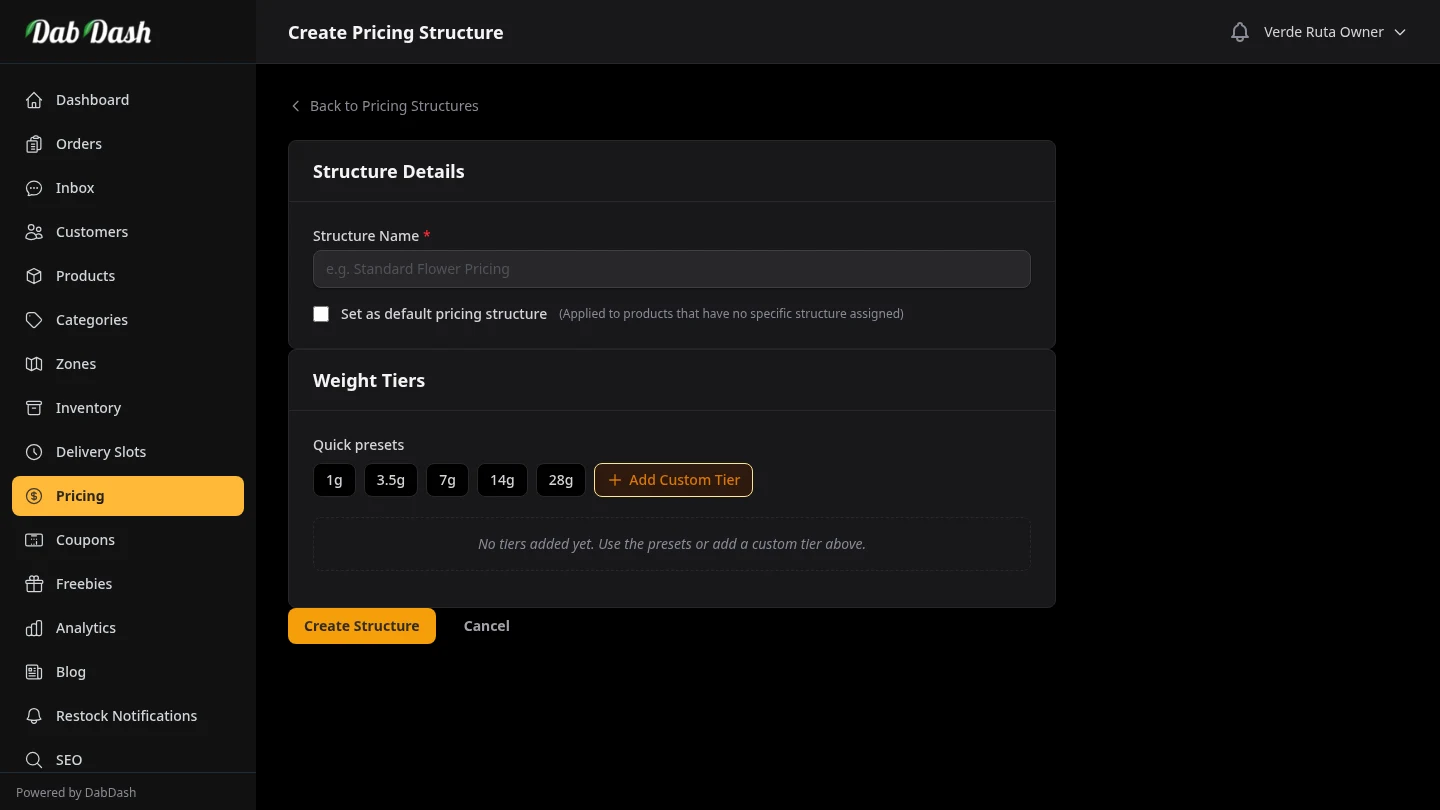
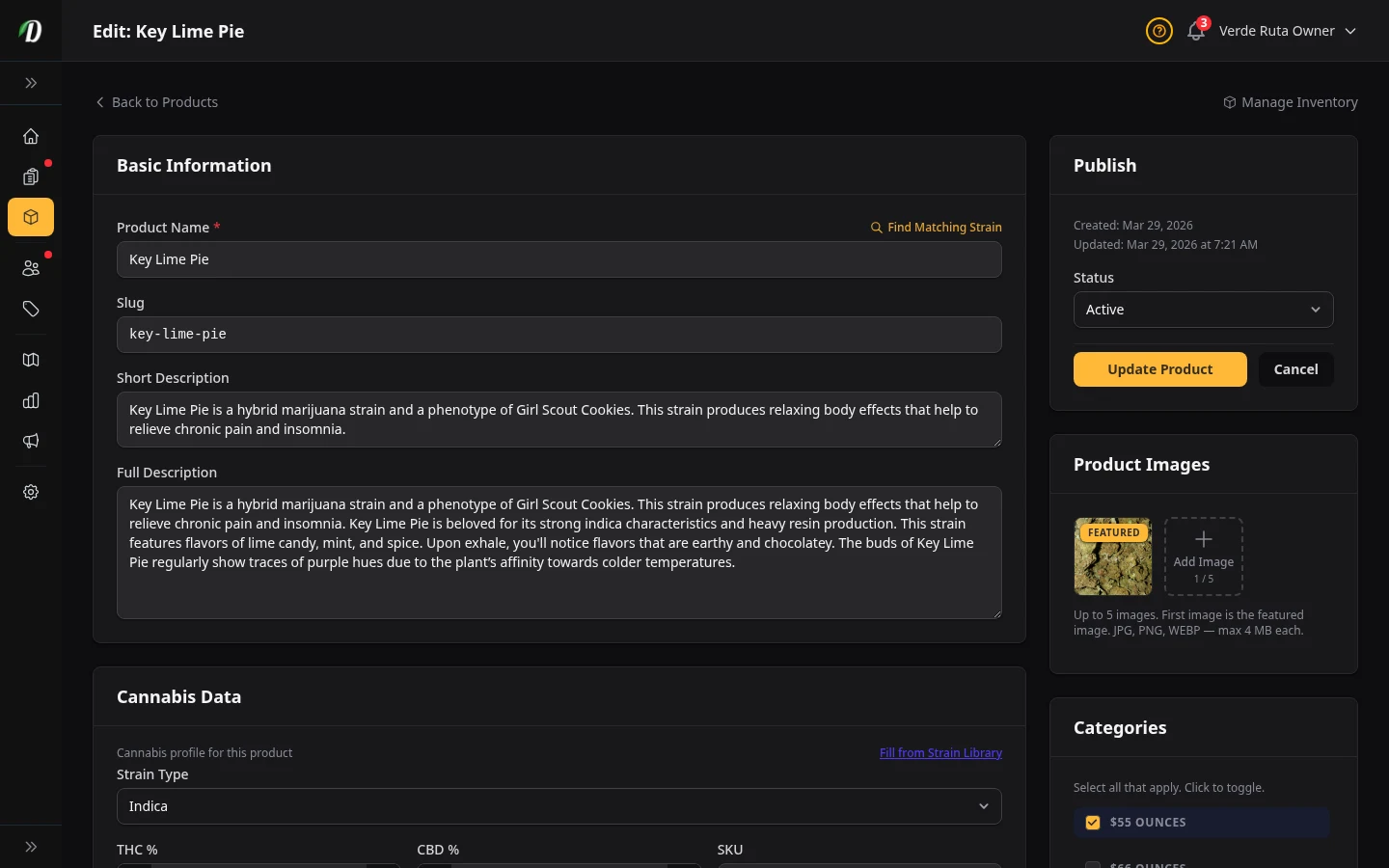
The same five options are available in both places. On product create/edit, DabDash stores your choices in a hidden 1:1 pricing structure for that product so you can finish data entry on one screen.
All Five Structures At A Glance
| Structure | Best For | Stock and Cost Tracking | Customer shopping experience |
|---|---|---|---|
| Simple | Single-option products with one buy choice | Unit-family reporting; one implicit unit variation | No selector or chips on storefront |
| Weight | Flower, hash by grams | Tracked by grams; cost reports use grams sold × your cost per gram | Simple gram selector (1g, 3.5g, 7g, etc.) |
| Unit | Edibles, carts, pieces, packs | Tracked by units; cost reports use per-unit cost | Simple quantity selector (1 unit, 3 units, 5 units) |
| Variation × Weight | Flavor/variant rows with gram columns | Still treated as weight in reports and cost tracking | Two-step choice: variant first, then weight |
| Variation × Unit | Flavor variants sold in unit packs | Still treated as unit in reports and cost tracking | Two-step choice: variant first, then pack size |
1) Simple

Use this for products with exactly one purchasable option. It behaves like unit tracking in reporting, but removes pointless customer selectors.
- Cost tracking: treated like unit-style products in profit reports.
- Inventory: one implicit unit option; no multi-tier selector logic.
- Customer shopping experience: fastest flow, direct Add to Cart.
2) Weight

Use this when the shopper is choosing grams or ounces. This is the standard setup for flower and most hash menus.
- Cost tracking: item cost is based on grams sold and your cost per gram.
- Inventory: stock deductions happen in grams, not “item counts.”
- Customer shopping experience: least confusing for flower buyers; fast to scan.
3) Unit

Use this when products are sold as pieces or packs, not by weight. Good for gummies, disposable vapes, and other single-option items.
- Cost tracking: per-unit cost is recorded for each line item.
- Inventory: stock deductions happen in unit counts.
- Customer shopping experience: clear quantity language for non-weight products.
4) Variation × Weight

Use this only when variant identity matters and each variant also has multiple gram options. Example: flavored hash where shoppers choose both flavor and grams.
- Cost/reporting: behaves like weight mode (grams-based).
- Inventory: in variation inventory mode, rows sharing the same variant label are treated as one gram pool across sizes.
- Customer shopping experience: powerful but more complex; use only when needed.
5) Variation × Unit

Use this when shoppers pick a variant (such as gummy flavor) and then pick a unit quantity/pack size. This is the best fit for flavor-heavy edible catalogs.
- Cost/reporting: behaves like unit mode (per-unit cost logic).
- Inventory: tracked and adjusted in units.
- Customer shopping experience: clearer than weight for candy/pack products, while still supporting variant choice.
How This Affects Profit Reports
Cost of goods (COGS) means your product cost. DabDash uses each order line cost to calculate margin. The structure type decides whether the line is treated as weight-based or unit-based:
- Simple + Unit + Variation × Unit: cost uses per-unit pricing logic.
- Weight + Variation × Weight: cost uses the selected weight amount and your cost-per-gram source.
Operator tip: always fill in cost prices, or profit numbers will look better than reality.
How This Affects Inventory Reporting
Structure type controls option layout. Inventory mode controls where stock is stored:
- Product inventory mode: one shared stock pool for the product.
- Variation inventory mode: stock tracked per variation row.
For weight-tracked products, adjustments and deductions are in grams. For unit-tracked products, they are in unit counts.
Recommendations For Cannabis Retail/Delivery
- Use Simple for one-option products. If there is only one buy option, remove extra selectors.
- Default flower and hash to Weight. This matches how budtenders and customers already think.
- Use Variation × Weight only when variant + grams both matter. Example: flavored hash where each flavor has its own size ladder.
- Use Variation × Unit for flavor-pack products. Example: gummy flavors sold as 1, 3, 5 unit options.
- Use Unit for non-weight products that still need quantity tiers.
- Keep option counts tight. Too many tiers reduce conversion and slow menu updates.
Operator Checklist Before Going Live
- Pick one structure per product family (flower, concentrates, edibles).
- Set cost values where your inventory mode expects them.
- Check one test order in Analytics to confirm margin numbers look right.
- Audit the storefront product page and make sure selectors read naturally to customers.