The Homepage
What the DabDash store homepage looks like — the hero banner, featured products, personalized recommendations, and category shortcuts customers see first.
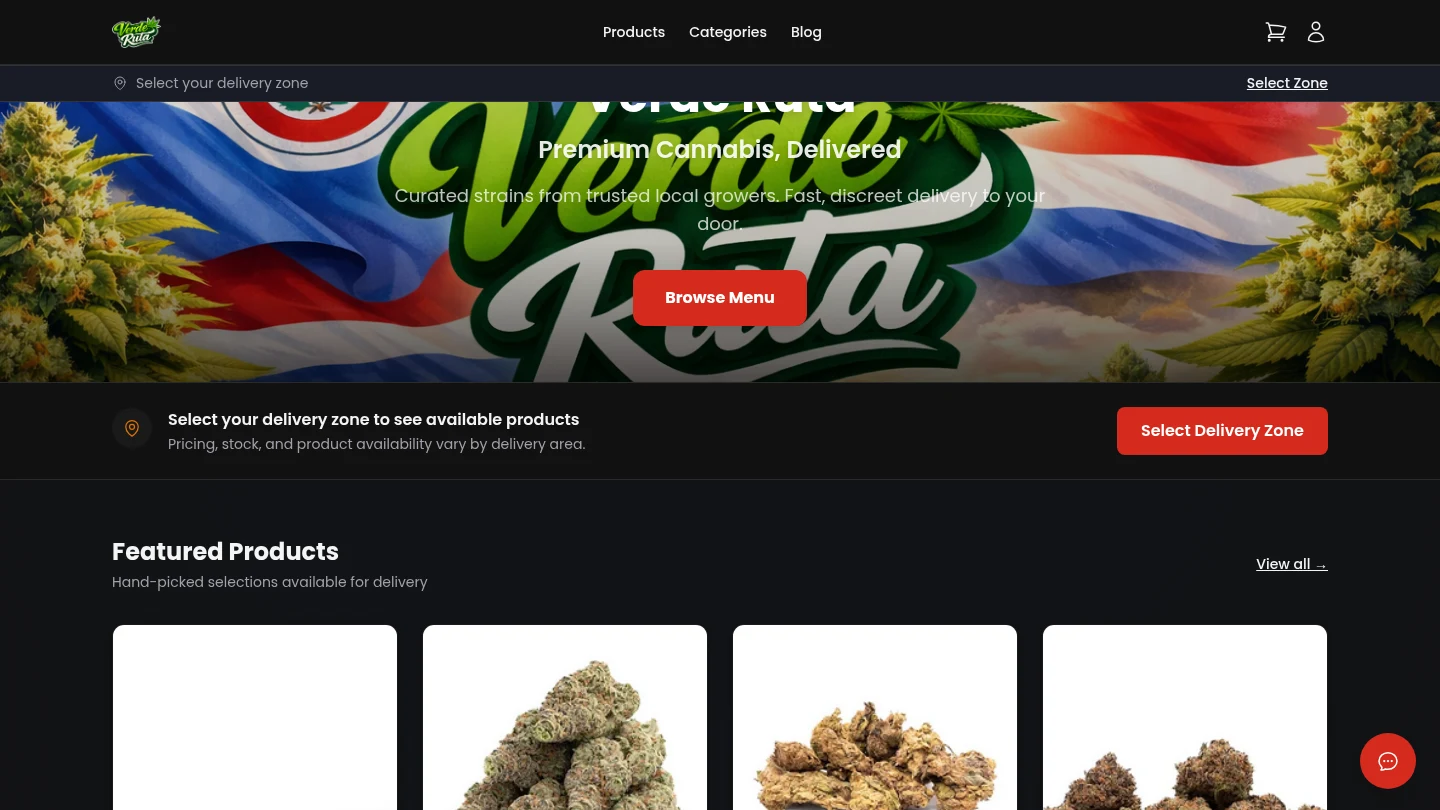
Overview
The homepage is the main landing page for the store. It is the first thing customers see after passing the age check (if the store has one turned on).
Everything on this page is designed to help customers start browsing quickly. The banner sets the scene, featured products highlight what the store wants to promote, Curated For You can surface personalized reorders for signed-in shoppers, and category shortcuts let people jump straight to a product type.
Featured Products
Below the banner is a row of products the store owner has marked as featured. These are the items the store wants to highlight — new arrivals, best sellers, or special deals.
Each product card shows the name, strain type, price, and an image. Clicking a card goes to the full product page. If the store has no featured products, this section does not appear.
Curated For You
Signed-in customers may also see a Curated For You section on the homepage. This block is personalized rather than manually curated by the store owner.
DabDash uses the customer's saved products and previous orders to suggest in-stock items they are likely to want again. Wishlist items are prioritized first, then previous purchases fill in the rest of the row.
Guests and customers with no matching history will simply not see this section, so the homepage stays clean even when there are no recommendation candidates.
Category Shortcuts
Quick links to each product category — Flower, Edibles, Concentrates, Pre-Rolls, and so on. Clicking one goes straight to that category page.
Only categories that have at least one active product show up here. Empty categories are hidden automatically so the homepage stays clean.
Frequently Asked Questions
What does a DabDash store homepage look like?
The homepage shows a branded hero banner, featured products chosen by the store, personalized recommendations for signed-in customers, and shortcut links to browse by category. The layout and colors match whatever the store owner has configured.
What are featured products on the DabDash homepage?
Featured products are items the store owner has highlighted. They appear in a dedicated section on the homepage near the top of the page so visitors immediately see the products the store wants to promote.
What is Curated For You on a DabDash homepage?
Curated For You is a personalized section shown to signed-in customers when the store has relevant products to recommend. DabDash fills it with in-stock items based on the customer's saved products and previous orders, making reorders faster.
Can customers search for products from the homepage?
Yes. The navigation bar includes a search function. Typing a product name filters results instantly without leaving the page.