The Age Check
How the age verification gate works on a DabDash cannabis store — what customers see, when it appears, and how it remembers the choice.
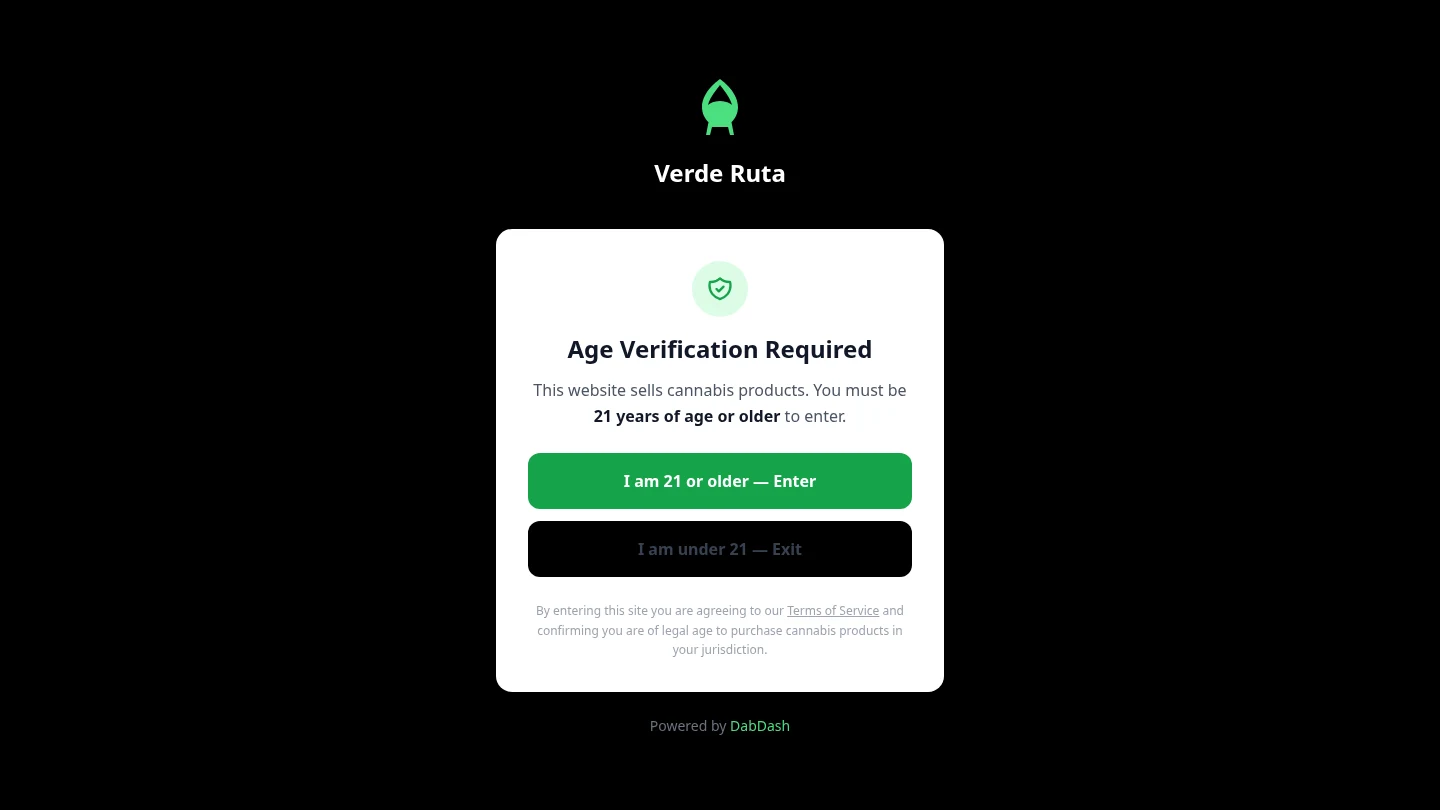
Overview
The age check is the very first thing anyone sees when visiting a store. It covers the entire screen. Nothing else is visible until the visitor confirms they are of legal age.
This gate appears on every store that has age verification turned on. It blocks access to all pages — the homepage, product pages, categories, and the cart.
What Happens
Clicking the confirm button lets the visitor through to the store. The gate goes away and the homepage loads normally.
The confirmation is remembered in the browser. The gate does not come back on future visits unless the visitor clears their cookies or uses a different browser.
If a visitor clicks the decline button, they are redirected away from the store. They can come back and try again at any time.
Why It's There
Cannabis stores are required to verify that visitors are of legal age before showing products or prices. The age gate is a standard compliance step used across the industry.
Store owners can turn the age gate on or off in their shop settings. When it is off, visitors go straight to the homepage without any check.
Frequently Asked Questions
What is the age check on a DabDash store?
The age check is a full-screen gate that appears before anything else. Visitors confirm they are old enough to enter. Until they confirm, no products or prices are visible.
Does the age check appear every time someone visits?
No. Once confirmed, the browser remembers the choice. The age check only reappears if cookies are cleared or a different browser is used.
Can the age check be turned off?
Yes. The store owner controls whether the age gate is enabled in their dashboard under Settings. When disabled, visitors go straight to the homepage.