Metrc Package Inventory US Only
See every active Metrc package synced from the state API, search and sort by label or item name, and sync on demand.
US stores only
This page only appears once your store has connected a Metrc API key. See the Metrc Integration article to connect first.
What is the Packages page?
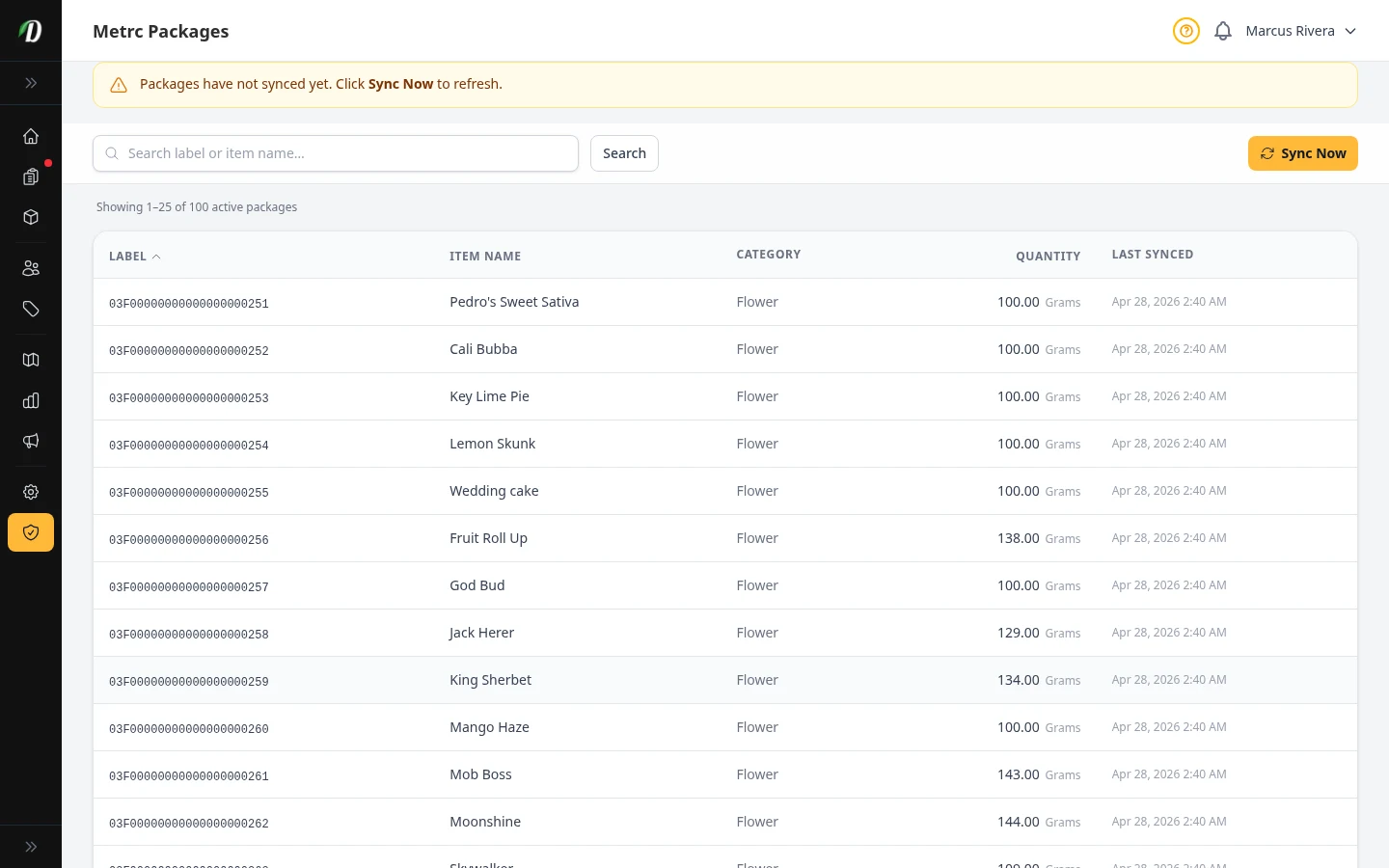
The Packages page mirrors your active Metrc inventory — every package tag currently on your license, with its item name, category, quantity, and unit of measure. DabDash pulls this list from the Metrc API so you don't have to log into Metrc separately to check what's on hand.
This is a read-only view of Metrc's own records. To connect these packages to the products you actually sell in DabDash, use the Package Mapping page.
Keeping packages up to date
Packages sync automatically every 15 minutes. If you just made a change in Metrc directly — received a transfer, adjusted a package — click Sync Now at the top of the page to pull the latest data immediately rather than waiting for the next automatic run.
A banner appears if data hasn't synced yet or is stale, and the Last Synced column on each row shows exactly when that package was last refreshed.
Finding a package
Use the search box to filter by package label or item name. Click any column header — Label, Item Name, Quantity, or Last Synced — to sort the table; click again to reverse the order.
Tip: If a sync error banner appears, the error has been logged for review. Try Sync Now again after a few minutes — most sync errors are temporary Metrc API issues that clear on their own.
Frequently Asked Questions
How often does the Metrc Packages page update?
Packages sync automatically every 15 minutes. Click Sync Now at the top of the page to pull the latest data immediately instead of waiting for the next automatic run.
Can I edit a package from the Packages page?
No — this page is a read-only mirror of your Metrc records. To change a package, do it in Metrc directly; DabDash picks up the change on the next sync.
What does a stale-sync banner mean?
It means packages haven't synced yet or haven't synced recently. Click Sync Now to refresh — if the banner persists after several tries, check the Compliance page for a sync error.