Metrc Compliance US Only
Track reporting status, nightly reconciliation runs, and recent Metrc API activity for your compliance records.
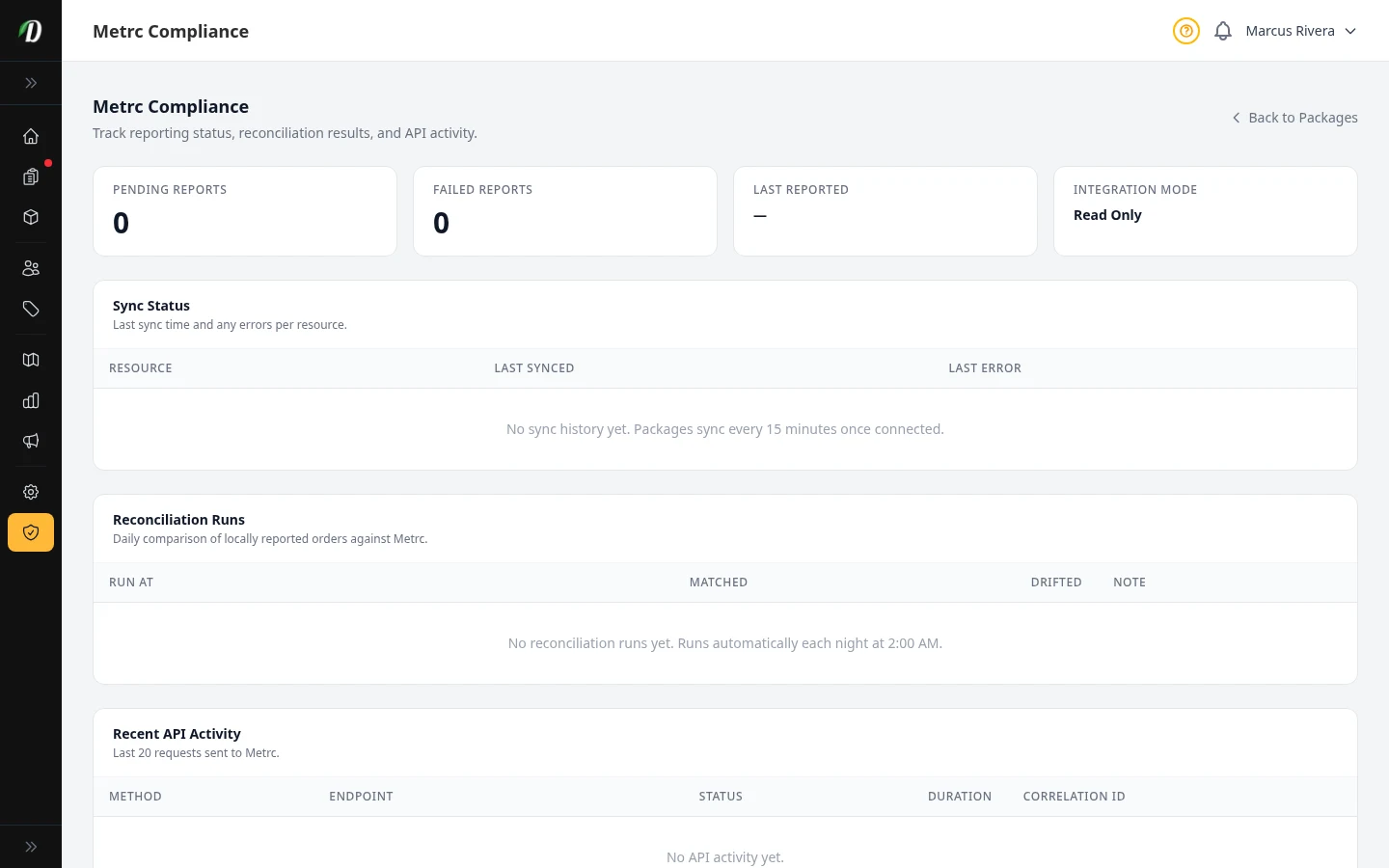
What this page tracks
The Compliance page is your single view into how well DabDash and Metrc agree with each other. It combines four stat cards, a sync status table per resource, a log of nightly reconciliation runs, and the last 20 requests DabDash sent to the Metrc API.
The four stat cards
- Pending Reports
- Sales waiting to be reported to Metrc. This number should clear quickly under normal operation.
- Failed Reports
- Reports Metrc rejected or DabDash couldn't send. Shown in red when above zero — investigate these first.
- Last Reported
- The timestamp of the most recent successful report sent to Metrc.
- Integration Mode
- Whether your Metrc connection is read-only or actively reporting sales, set when you connected on the Metrc Integration page.
Sync status by resource
Each Metrc resource (packages, items, and more) syncs on its own schedule. This table shows the last successful sync time for each one, and any error from the most recent attempt. A red dot means that resource is stale — hasn't synced in the last 24 hours — or errored on its last attempt.
Reconciliation runs
Every night at 2:00 AM, DabDash automatically compares the orders it reported to Metrc against what Metrc actually has on record. Each run logs how many matched cleanly and how many drifted — drifted rows need a manual look, since they mean the two systems disagree about a sale.
Recent API activity
The last 20 requests DabDash sent to Metrc, with method, endpoint, response status, duration, and a correlation ID. If you're troubleshooting a specific failed report with Metrc support, this correlation ID is what they'll ask for.
Tip: If the stale-sync banner appears at the top of this page, visit the Packages page and click Sync Now — most staleness clears within one sync cycle.
Frequently Asked Questions
What does the Metrc Compliance page show?
Four stat cards (pending reports, failed reports, last reported, integration mode), a sync status table per resource, a log of nightly reconciliation runs, and the last 20 requests sent to the Metrc API.
What should I do if Failed Reports is above zero?
Check the sync status table for the affected resource and the Recent API Activity log for the failing request and its status code. Most failures clear after a manual Sync Now once the underlying Metrc issue resolves.
What does a "drifted" reconciliation run mean?
Each night DabDash compares locally reported orders against what Metrc has on record. A drifted count above zero means a discrepancy was found — contact support if you see a non-zero drifted count that doesn't resolve itself.