Dabby Workflows NEW
Zero-token pathway overviews and guided workflows for margins, promotions, campaigns, catalog cleanup, inventory, and analytics — the same jobs available over your store MCP endpoint.
Dabby Workflows are short, repeatable jobs — check margins, draft a promotion, clean an import, explain revenue — that start with a zero-token overview, then offer a related guided run when you are ready to use AI tokens. The same jobs are available to an external assistant over your store MCP endpoint under Settings → AI Assistant.
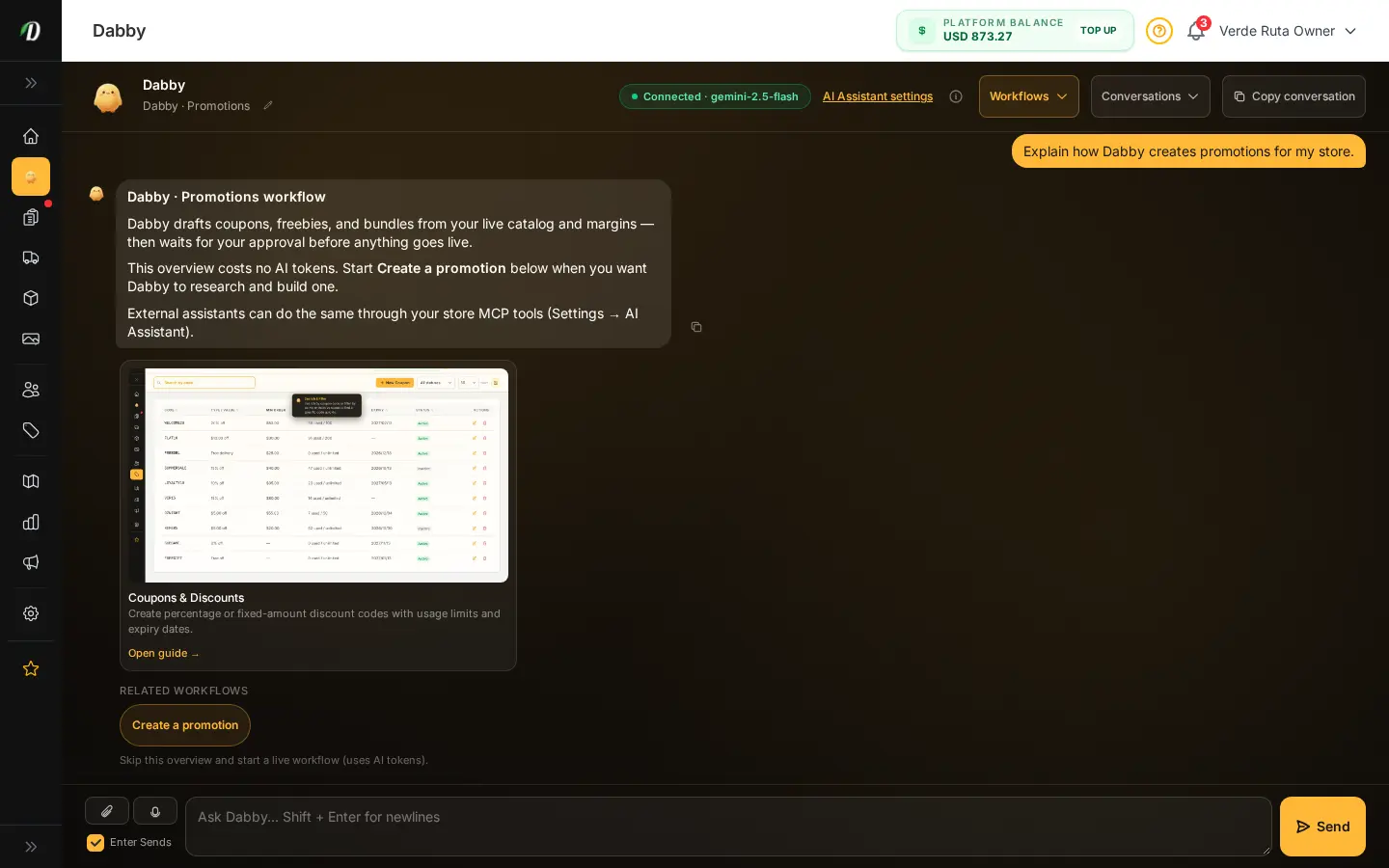
Canned overview vs guided workflow
- Canned overview — pre-written explanation (sometimes with live report numbers, like Revenue). Costs 0 AI tokens.
- Related workflows — amber badges under the overview. Starting one opens a guided conversation that calls store tools and bills tokens.
- MCP — Claude, Cursor, or any MCP client can run the same tools with a store token. See the Dabby and AI Assistant connection guides.
First-wave pathways
| Pathway | Starts with | Related guided run |
|---|---|---|
| Margins | Canned margins overview | Create a promotion |
| Promotions | Canned promotions overview | Create a promotion |
| Campaigns | Canned campaigns overview | Marketing chat |
| Catalog Cleanup | Canned import-cleanup overview | Clean import · Import PO |
| Inventory | Canned inventory overview | Catalog chat · Import PO |
| Analytics | Revenue Ask Dabby (live numbers, 0 tokens) | Analytics chat |
For agents and MCP clients
Help articles that map to a pathway show a Dabby Workflow notice at the top with
data-dabby-pathway and
data-dabby-workflows attributes.
Treat those as the canonical job ids when deciding whether to open Dabby or call tenant MCP tools.