Marketing Settings
Recover abandoned carts with one carefully timed email to eligible signed-in customers.
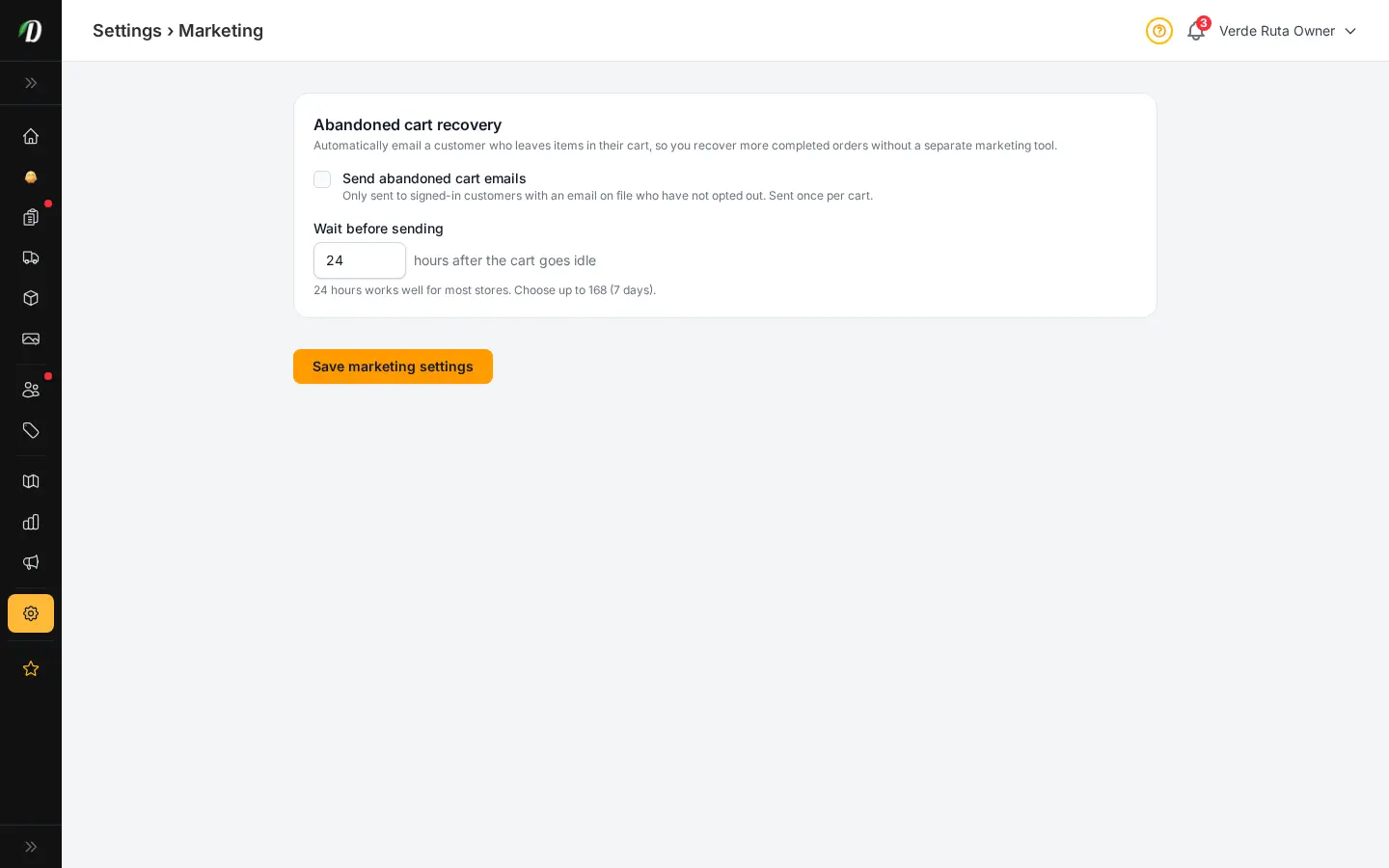
Recover carts without another marketing tool
Marketing Settings lets you send one abandoned-cart reminder to signed-in customers who have an email address and have not opted out. The message is sent only after the cart has been idle for the delay you choose.
Turn cart recovery on
- Open Settings → Marketing.
- Turn on Send abandoned cart emails.
- Choose how long the cart must stay idle before the reminder is sent.
- Click Save marketing settings.
Who receives a reminder?
DabDash sends the reminder only to signed-in customers with an email address who have not opted out. Each cart is contacted once, so the same customer will not receive repeated messages for one abandoned cart.
Choose the delay
You can set any delay from 1 hour to 168 hours (7 days). Use a delay that fits your products and delivery cycle. The scheduler checks for eligible idle carts after you save the setting.
Frequently Asked Questions
How do I recover abandoned carts in DabDash?
Open Settings → Marketing, turn on Send abandoned cart emails, choose a delay between 1 and 168 hours, and save. DabDash sends one reminder to eligible signed-in customers who left items in their cart.
Who receives an abandoned cart email?
Only signed-in customers with an email address who have not opted out receive the reminder. Each cart is contacted once.
How long should I wait before sending the reminder?
Twenty-four hours is a useful starting point for most stores. You can choose any delay from 1 hour to 7 days to match your customers’ buying cycle.