Comparing Sites
Side-by-side revenue, orders, AOV, and new customers — or ask Dabby to compare shops in your portfolio.
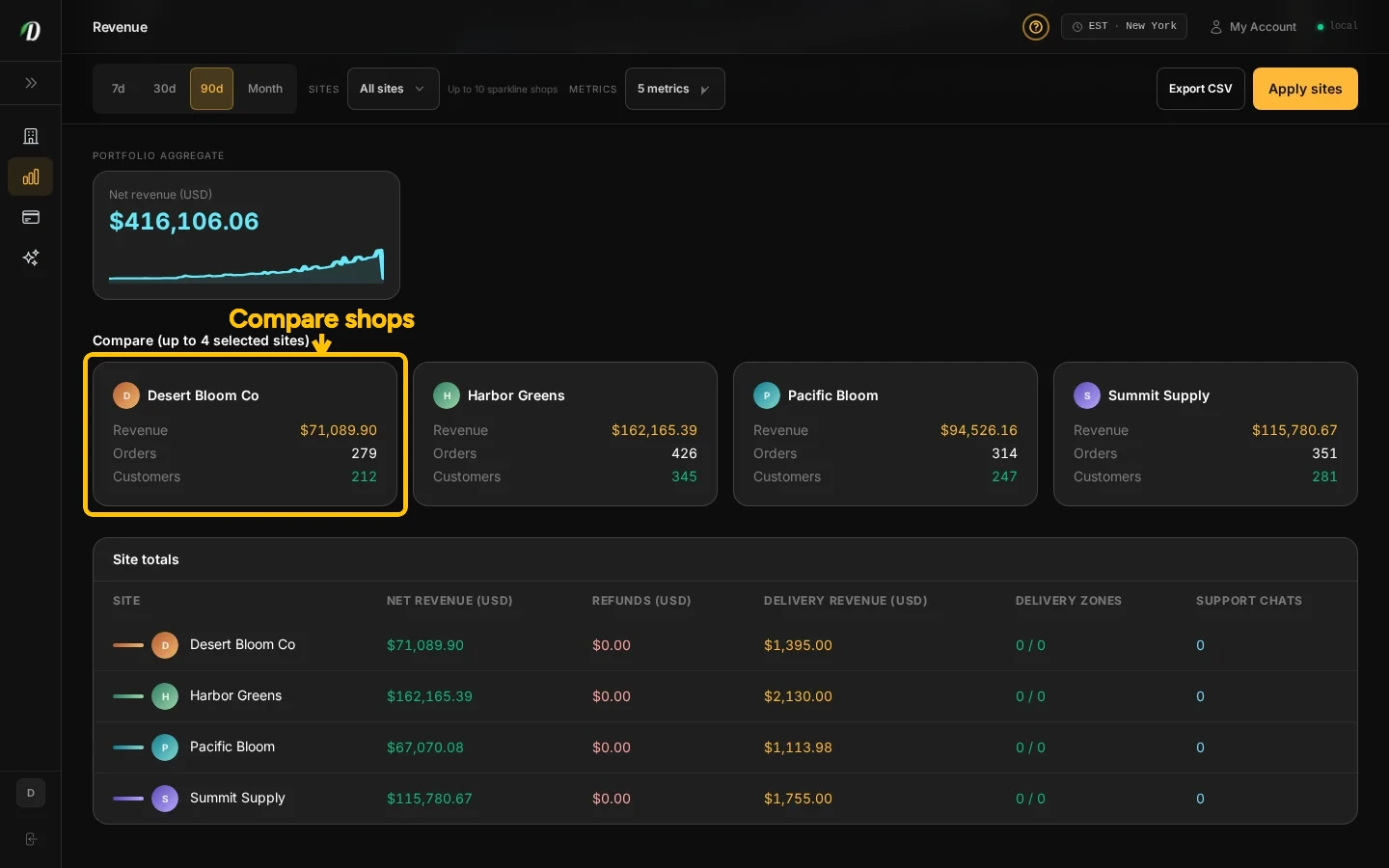
Side-by-side compare
Open Analytics and choose the date range you want to review. In the shop filter at the top, select up to four shops. The comparison cards appear below the chart when results are available. Review revenue, orders, average order value, and new customers side by side. If a previous-period change is available, it appears with the result.
Each shop’s revenue appears in that shop’s currency. Check the currency, date range, and shop names before comparing or sharing the results.
Ask Dabby to compare
From Dabmaster → Dabby, ask a question such as “Which of my shops had the most orders last week?” Dabby can summarize results for the shops available to your account.
Guided tour
Help → Start tour on Analytics highlights the compare picker and the compare board after you select shops.
Frequently Asked Questions
Which shop metrics can I compare?
Compare revenue, orders, average order value, and new customers for the selected date range.
Can Dabby compare my sites?
Yes. Ask Dabby to summarize portfolio metrics for shops you can access.
Why is a shop missing from the comparison?
Only shops assigned to your account are available.