Loyalty Points
How the DabDash loyalty points system works — earning points on orders, checking balances, and redeeming points as a discount at checkout.
Overview
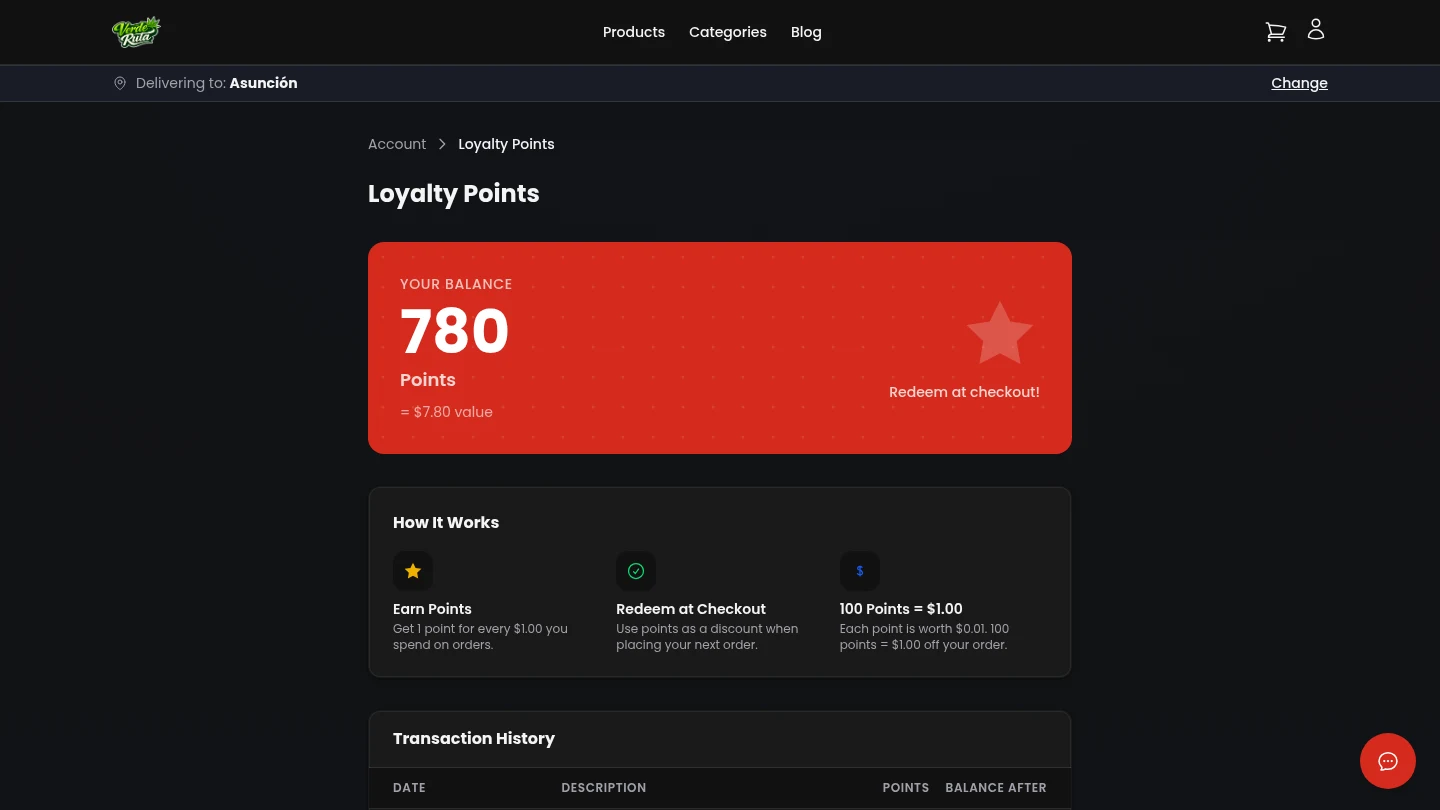
The loyalty page shows the current points balance and how points are earned and spent. Not every store has loyalty enabled — if it is turned off, this page does not appear.
Points Balance
A large number at the top shows the current balance. Below it, the dollar value of those points is shown based on the store's redemption rate.
Earning Points
Points are earned automatically on completed orders. The page explains the earn rate — for example, "Earn 1 point for every $10 spent."
Only delivered orders count. Cancelled orders do not earn points.
Redeeming at Checkout
Points can be used as a discount at checkout. The page shows how many points equal how many dollars off.
During checkout, there is a toggle to apply points. The discount is subtracted from the order total before the order is placed.
Transaction History
A list of every point change appears at the bottom of the page. Each entry shows the date, the reason (order earned or checkout redeemed), and the number of points added or spent.
Frequently Asked Questions
How do loyalty points work on a DabDash store?
Points are earned automatically on completed orders based on the store's earn rate. The loyalty page shows the current balance, transaction history, and the dollar value of available points.
How are loyalty points redeemed on a DabDash store?
At checkout, logged-in customers with points see a redemption field. Entering a number of points applies a dollar discount based on the store's redemption rate. The discount shows as a line item in the order total.
Do all DabDash stores have loyalty points?
No. Loyalty is optional. The store owner enables it in their dashboard settings. If turned off, the loyalty page does not appear in customer accounts.