Bundle Deals
Create quantity-based bundle deals that automatically discount the cart when customers buy a set of qualifying variations together.
Overview
Bundle deals let you reward customers who buy in quantity — automatically, with no coupon code required. You set a trigger (e.g., 4 items) and a discount: a percentage off each unit, a flat dollar amount off each unit, or one flat price for the whole set ("4 for $99"). The moment a customer's cart contains that many qualifying products, the deal fires on every eligible unit.
Each bundle targets specific product variations, so you stay in full control of which products participate and which do not. Bundles can run indefinitely or be paused at any time without losing your configuration.
Creating a Bundle Deal
Click New Bundle in the top-right corner to open the bundle form.
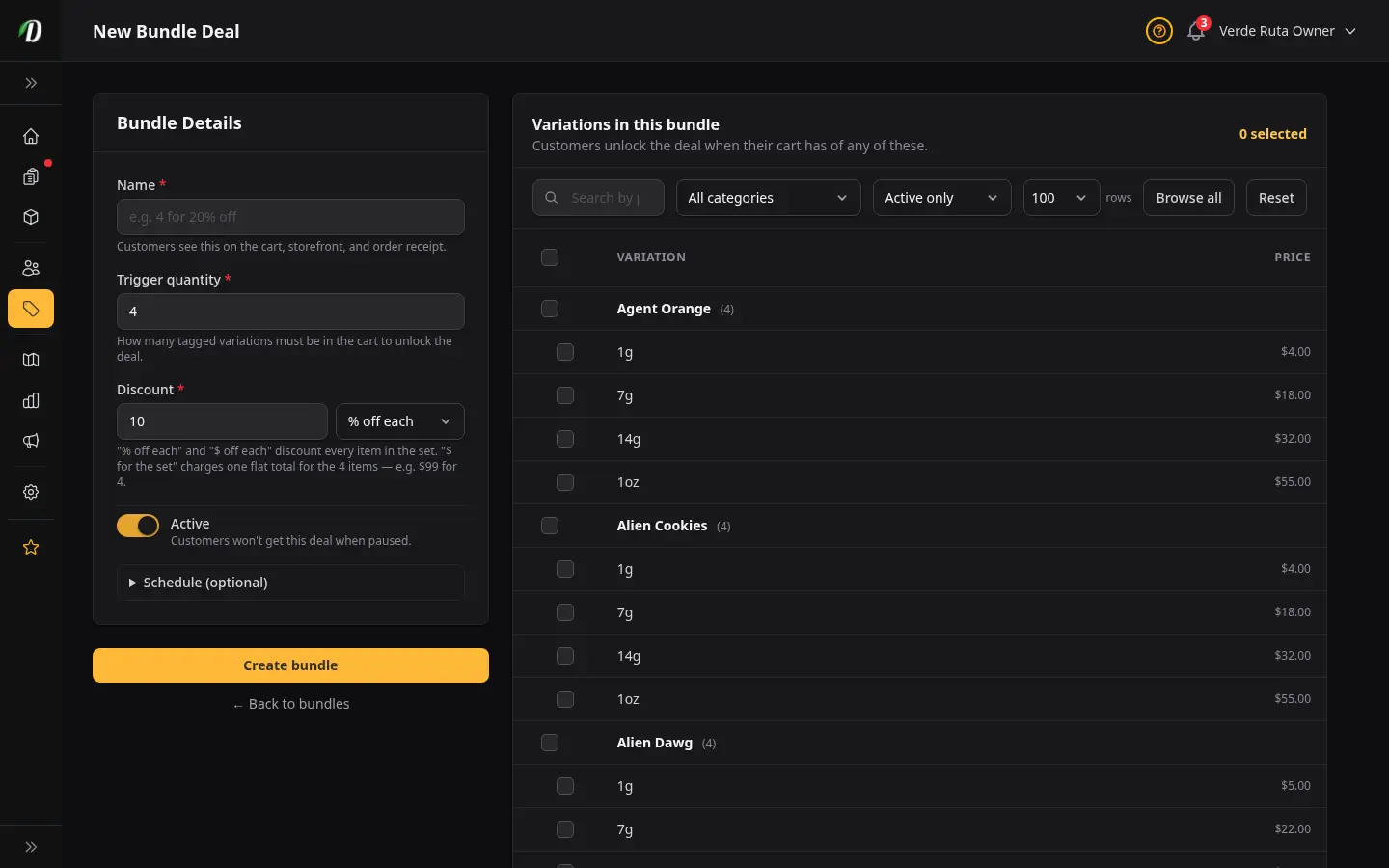
Fill in the bundle details:
- Name
- The label customers see when the discount is applied to their cart — for example, 4 for 20% Off or Flower Sampler Deal. Keep it short and outcome-focused.
- Quantity Trigger
- The minimum number of eligible items the cart must contain for the discount to fire. Minimum is 2. For example, entering
4means the customer needs 4 qualifying variations in their cart. - Discount Type
-
Choose how the discount is calculated. The dropdown gives you three options:
- % off each — takes a percentage off every qualifying unit. For example, 20% off a $15 item saves the customer $3 per unit.
- $ off each — takes a flat dollar amount off every qualifying unit. For example, $5 off a $20 item makes each unit $15.
- $ for the set — charges one flat price for the whole set instead of discounting each unit. For example, $99 for 4 means any 4 qualifying items cost $99 total, however they were originally priced. This is the option to use for "4 for $99" or "an ounce for $88" deals.
- Discount Value
-
What you type here depends on the discount type you picked:
- % off each — enter the percentage without the % symbol (e.g.,
20for 20% off). - $ off each — enter the dollar amount taken off each unit (e.g.,
5.00). - $ for the set — enter the flat total price for the set (e.g.,
99.00for "4 for $99"). This is the final price the customer pays for the whole set, not an amount taken off.
- % off each — enter the percentage without the % symbol (e.g.,
- Eligible Variations
- Use the picker panel on the right to search your product catalog and tick each variation that should count toward the trigger quantity and receive the discount. You can combine different products — every ticked variation counts as one unit toward the trigger.
Click Save to create the bundle. It activates immediately and begins discounting qualifying carts.
Setting a flat set price? Choose $ for the set as the discount type and enter the total price in Discount Value — for example, 88.00 for "an ounce (4 × 7g) for $88". Do not pick % off each and leave the value at 0 — that applies no discount at all, so customers pay the full price.
Editing a Bundle
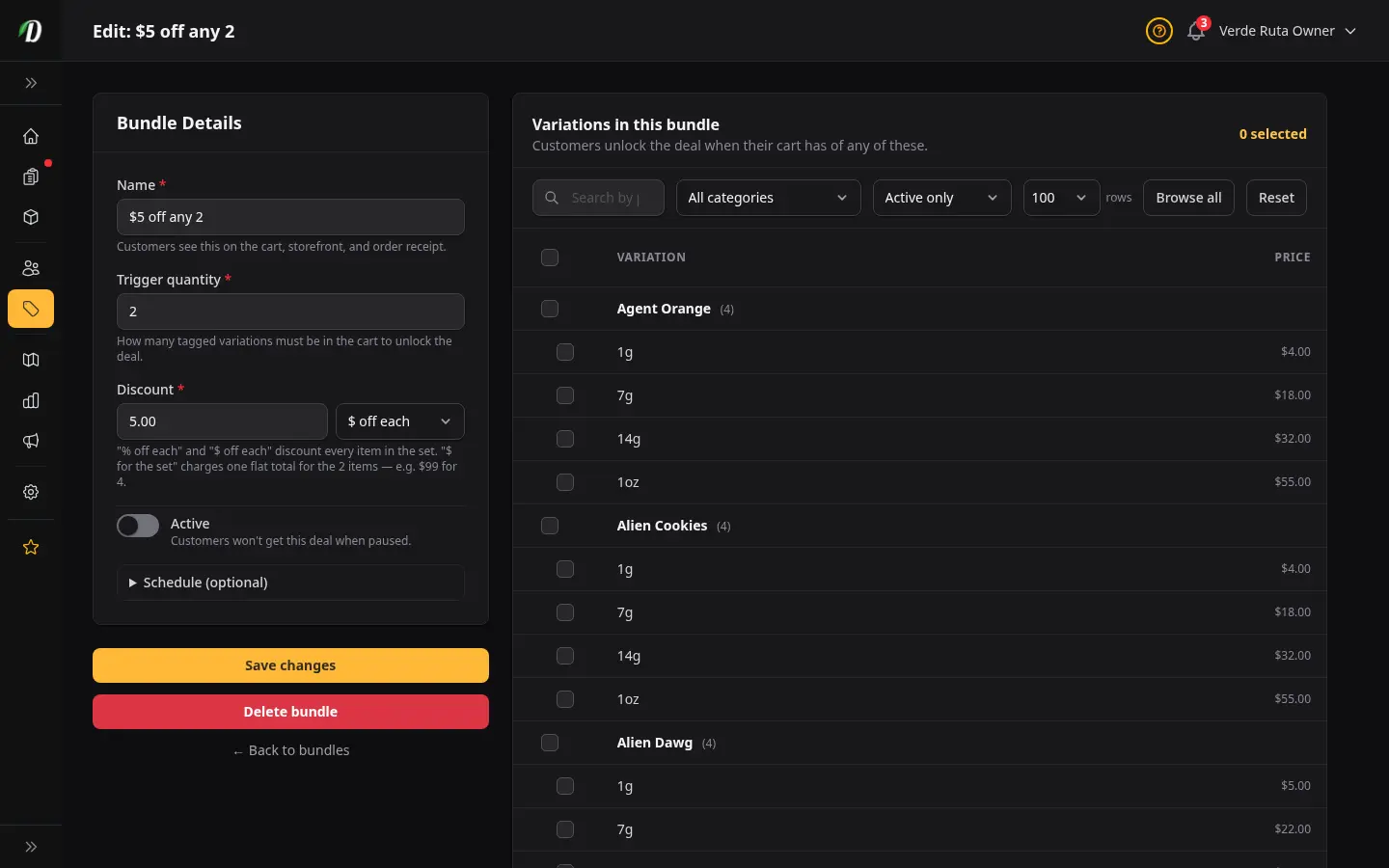
Click the pencil icon in the Actions column to open the bundle on its edit page. All fields are editable, including the eligible variations. Click Save changes when done.
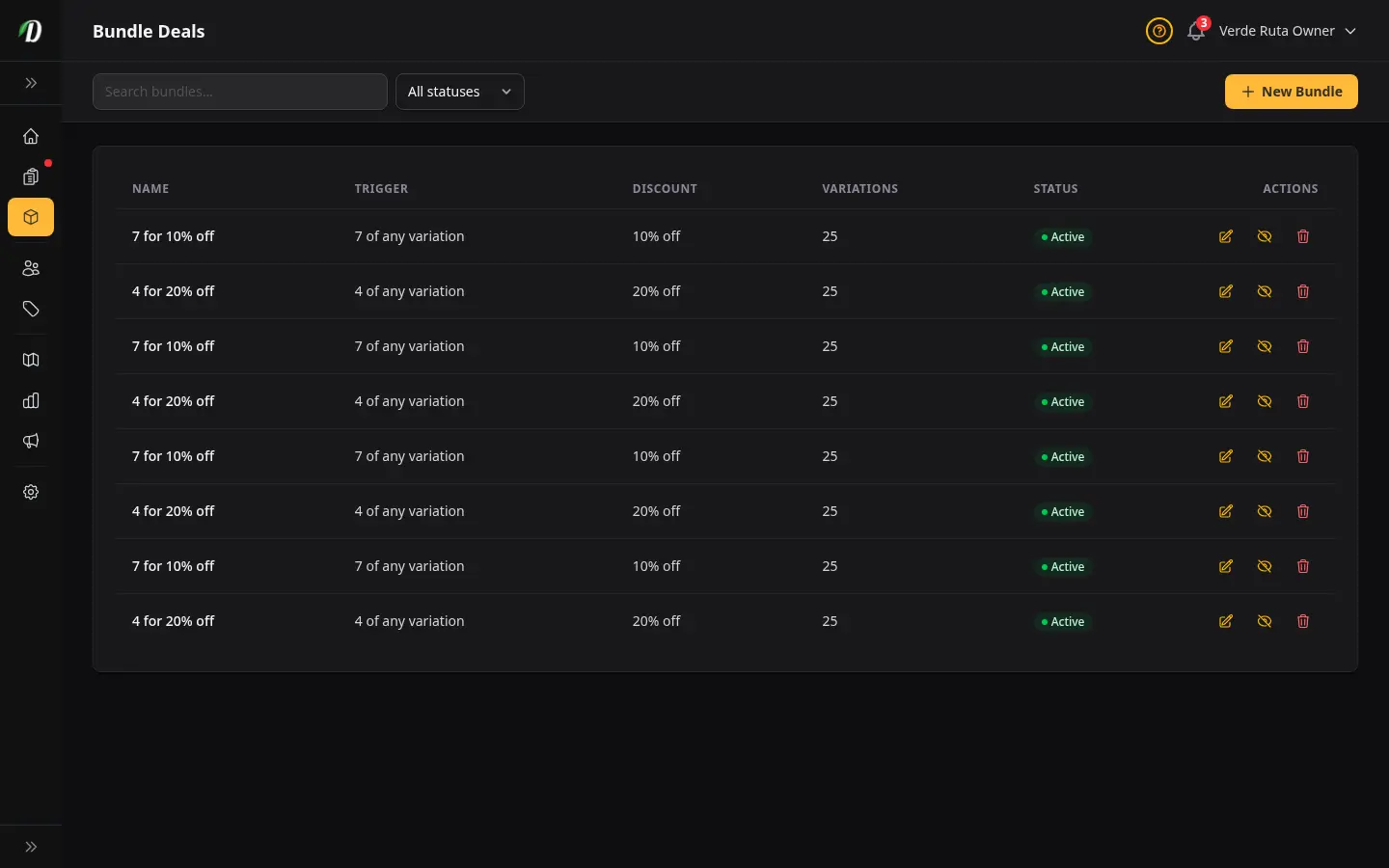
Reading the Bundle Deals Table
- Name
- The bundle label shown to customers on their cart when the discount applies.
- Discount
- Shows the discount in plain language — for example, "20% off per unit", "$5.00 off per unit", or "$99.00 for the set".
- Trigger
- The minimum cart quantity required before the discount fires — for example "4 items".
- Variations
- The number of product variations included in this bundle. Click the edit icon to see and adjust the full list.
- Status
- Green "Active" or grey "Paused" badge. Use the play/pause icon in Actions to toggle without deleting the bundle.
Tips
- Use bundles to move slow-moving sizes — add a 3.5g and 7g variation to the same bundle to encourage customers to trade up.
- Pause bundles seasonally without losing your settings. Reactivate for holidays, 4/20, or any promotional window.
- Combine bundles with coupons — a bundle handles the automatic quantity discount, while a coupon covers entry-level first-time offers. They work independently and can both apply to the same cart.
- The trigger counts total eligible units across all ticked variations. A customer can mix different products to hit the threshold — for example, two eighths of strain A and two eighths of strain B triggers a 4-item bundle.
- Name bundles clearly from the customer's perspective — 4 Eighths for $10 Off is more compelling than Bulk Deal Q4.
- For "ounce deals" where mixed eighths add up to a set price — any 4 × 7g for $88 — use the $ for the set discount type and enter the total ($88). DabDash spreads the saving across the lines so the cart total lands exactly on your set price.
Frequently Asked Questions
How do bundle deals work in DabDash?
Bundle deals fire automatically when a customer's cart contains the qualifying quantity of tagged variations. You set a trigger quantity (e.g., 4 items) and a discount. When the cart reaches that quantity from the bundle's eligible variations, the deal applies automatically — no coupon code needed.
What discount types can a bundle deal use in DabDash?
Three: "% off each" takes a percentage off every qualifying unit; "$ off each" takes a flat dollar amount off every qualifying unit; and "$ for the set" charges one flat total for the whole set (for example, "4 for $99" or "an ounce for $88"), spreading the saving across the lines so the cart total lands exactly on your set price.
How do I set a flat "4 for $99" or "ounce for $88" price in DabDash?
Create a bundle, set the trigger quantity (e.g., 4), choose the "$ for the set" discount type, and enter the total price in Discount Value (e.g., 99.00 or 88.00). Tick the qualifying variations and save. Do not use "% off each" with a value of 0 — that applies no discount, so customers pay full price.
How do I create a bundle deal in DabDash?
Go to Bundle Deals, click New Bundle, enter a name customers will see, set the trigger quantity (minimum 2), choose a discount type (% off each, $ off each, or $ for the set) and value, and tick the product variations that qualify. Save to activate — customers will see the discount applied automatically once their cart hits the threshold.
Can I pause a bundle deal without deleting it in DabDash?
Yes — use the play/pause icon in the Actions column on the Bundle Deals page. A paused bundle is invisible to customers but preserved in your dashboard, ready to reactivate for the next promotion season.