Product Reviews
Turn on post-delivery product reviews, moderate customer feedback, and control what appears on your storefront.
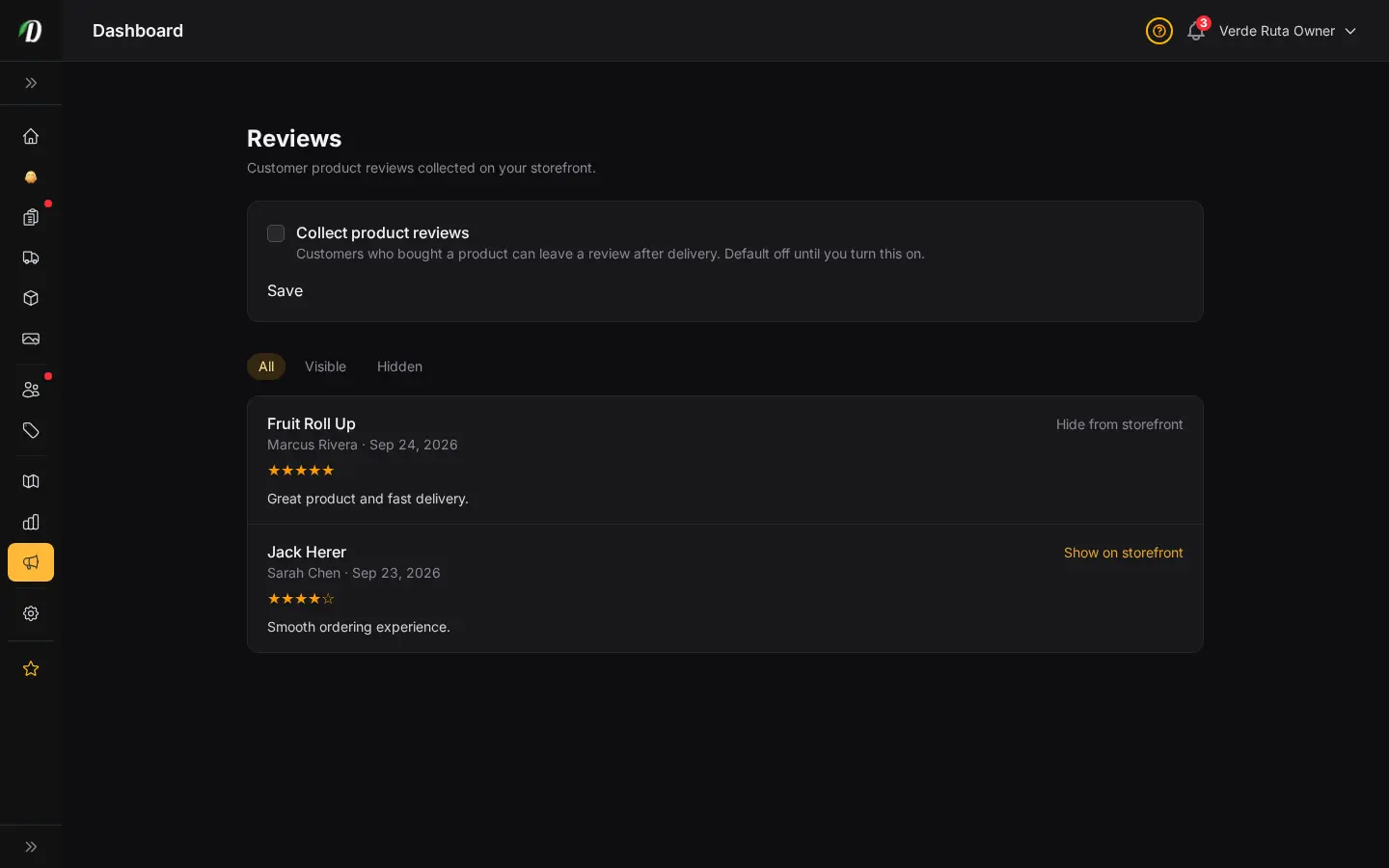
Build trust with verified feedback
Reviews are tied to delivered purchases. Turn collection on when your team is ready, then use the Reviews page to read ratings and comments and moderate storefront visibility.
Control what appears on the storefront
- Open Marketing → Reviews.
- Enable Collect product reviews and save.
- Use All, Visible, or Hidden to find feedback.
- Hide a review from the storefront or show it again later.
Good to know: hiding a review changes storefront visibility; it does not delete the customer’s feedback.
Frequently Asked Questions
How do I collect product reviews in DabDash?
Open Reviews and turn on Collect product reviews. Customers who bought a product can leave feedback after delivery.
How do I hide a review from my storefront?
Open Reviews, find the review, and click Hide from storefront. You can show it again from the Hidden filter at any time.
Can customers review products before delivery?
No. Review collection is tied to delivered purchases so the feedback comes from verified customers.