When We Tell You Things
Choose which alerts you get by email or push — orders, low stock, and restock requests.
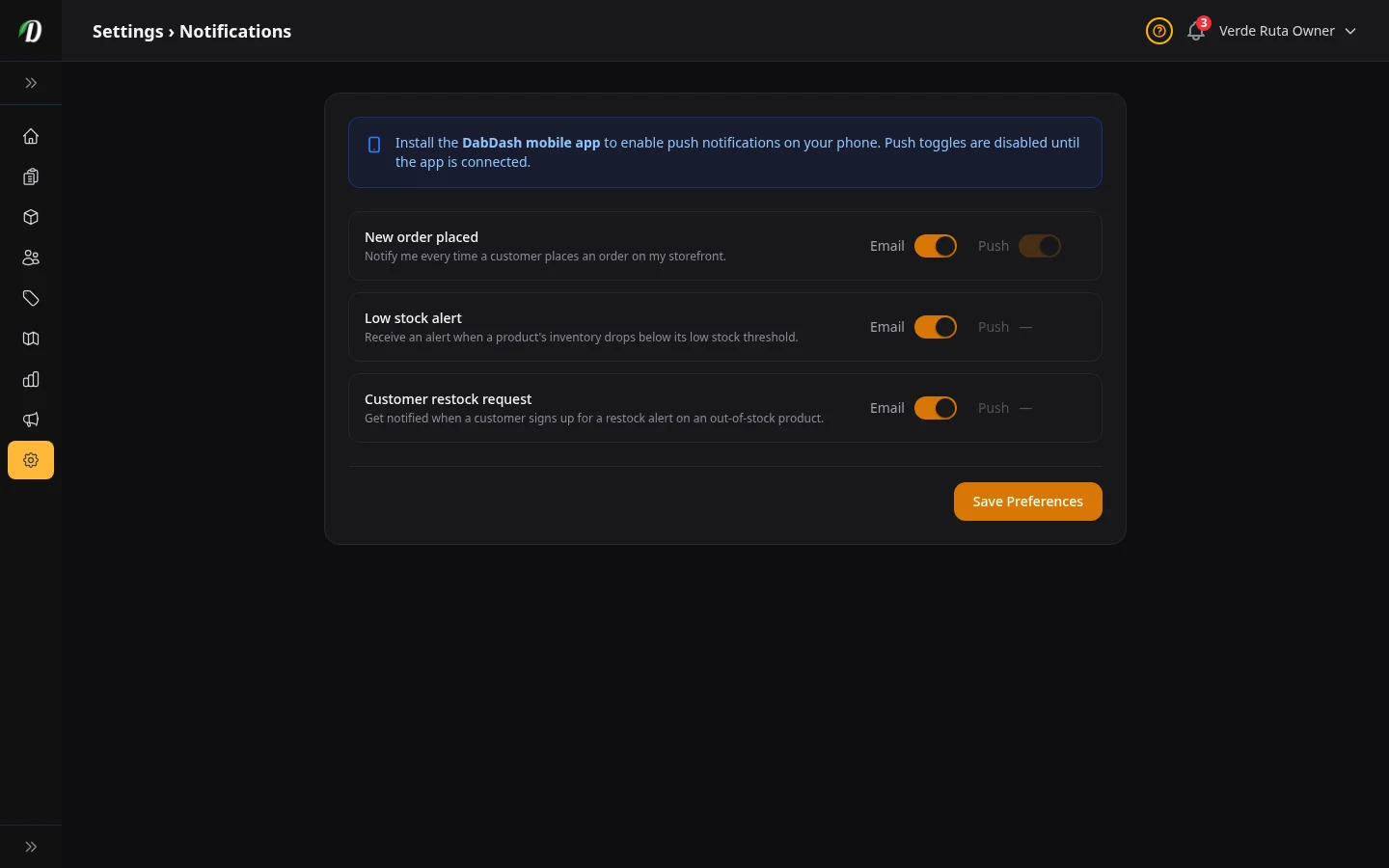
What this page does
Three things can happen in your store that you probably want to know about right away: a new order, low stock, or a customer asking you to restock something. This page lets you pick which of those send you an email (and, for orders, a push notification to your phone).
New order placed
This one fires every time a customer finishes checkout and pays.
- Sends an email to the address you signed up with. Most store owners keep this on so they know when to start packing an order.
- Push
- Sends a notification to your phone. You need the DabDash mobile app for this to work — the toggle is grayed out until you connect the app.
Low stock alert
This goes off when a product drops below the number you set as its low-stock level. You set that number on the Inventory page for each product.
Good to know: It only fires once per product when the stock hits the threshold — not on every single sale after that. So you get one heads-up, not a flood of emails.
Push notifications are not available for this one. Email only.
Customer restock request
When a product is out of stock, customers can click a button on the product page to say "Tell me when this is back." When they do that, you get an email.
Why this matters: It tells you which products people are waiting for. If 20 people are waiting for the same thing, restock that one first.
You can see all pending restock requests under Restock Notifications in the sidebar.
Tips
- Keep "New order" email on — you don't want to miss orders.
- Set low-stock levels on your best-selling products first. Go to the Inventory page and put a number in the threshold field.
- Check the Restock Notifications page once a week to see what your customers are waiting for.