Your Store Info
Set your business name, address, phone number, subdomain, and timezone.
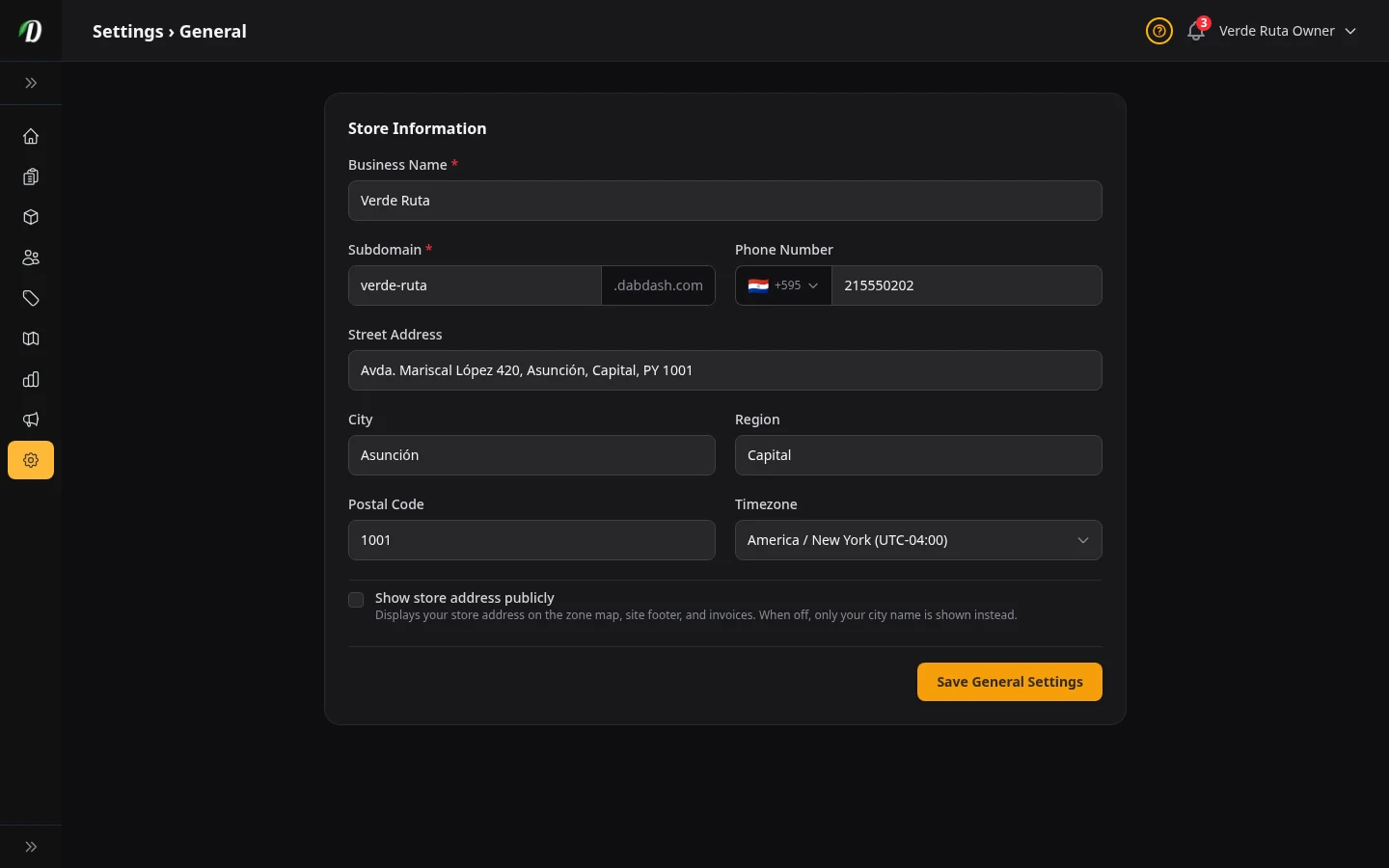
What this page does
This is where you put in the basic facts about your business. Your name, your address, your phone number, and your web address all live here.
Everything you type here shows up in other places — on your online store, on invoices customers get, and on the map where people pick their delivery zone.
Business Name
This is the name customers see everywhere — at the top of your store, in emails they get from you, and on their receipts.
What happens when you change it: The new name shows up right away on your store and in all future emails. Old emails and invoices keep the name they were sent with.
Subdomain (your web address)
Your subdomain is the first part of your store's web address. If you type mango, your store lives at mango.dabdash.com.
Only lowercase letters, numbers, and dashes are allowed. No spaces.
Watch out: If you change this, the old address stops working right away. Anyone who saved the old link will get a "not found" page. Only change it if you really need to.
Phone Number
Your business phone number. It shows up on invoices and in the footer of your store (if you turn on "Show store address publicly"). Pick your country from the dropdown so the number formats correctly.
Address
Your street address, city, state/region, and postal code. This is your physical location.
Where it shows up: On invoices, on the delivery zone map (as a pin), and in the store footer if you turn on "Show store address publicly."
If you work from home: You can leave "Show store address publicly" turned off. That way only your city shows — not your full street address.
Timezone
This controls what time your store thinks it is. Order times, delivery windows, and reports all use this timezone.
How to pick: Start typing your city name and pick the right one from the list. If you are in Los Angeles, pick America/Los_Angeles.
Show store address publicly
This is a checkbox at the bottom of the form.
Turned on: Your full street address shows on the delivery zone map, the store footer, and customer invoices.
Turned off: Only your city name shows. Good if you run your business from a home address and don't want to share it.
Saving your changes
Click the Save General Settings button at the bottom. If something is wrong (like a missing name), you will see a red message telling you what to fix.