Cart & Discounts Flow
How cart totals, coupons, freebies, and mix-and-match pricing are applied for customers.
Overview For Store Team
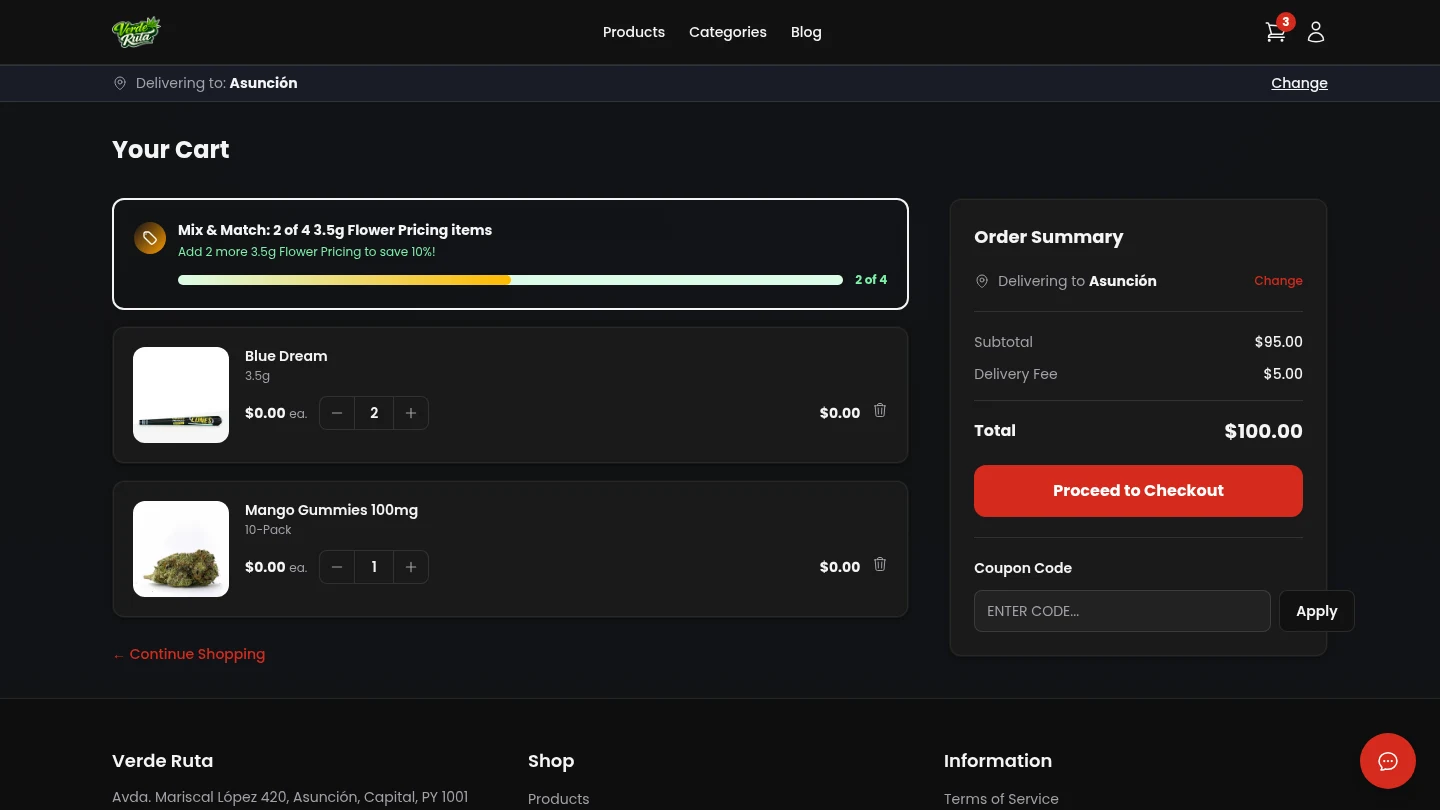
The cart is one of your most important sales pages. It shows your prices, coupons, freebies, loyalty rules, delivery fees, and stock limits all in one place.
Customers can adjust quantity, remove items, apply coupon codes, and then proceed to checkout.
How Discounts Stack
- Coupons apply when the code is active, within date, and still within usage limits.
- Freebies auto-attach when spend thresholds are met (and auto-remove if cart drops below threshold).
- Mix & Match pricing can lower price per gram when rule targets are met.
- Loyalty redemption appears later in checkout/account flows when enabled.
One order can include more than one discount. Test major promos with a full sample cart before launch.
Fees and Totals Preview
Cart totals show subtotal, discount effects, and estimated fees. Delivery and service fees depend on the selected zone.
Keep delivery fees and minimum order rules clear in your marketing so shoppers are not surprised at checkout.
Common Failure Points You Should Monitor
- Expired or inactive coupon campaigns still being promoted externally.
- Freebie thresholds set too high for normal cart sizes.
- Low-stock items added to cart shortly before stock depletion.
- Zone minimum orders blocking checkout after promotions reduce subtotal.
Ops Checklist
- Test every new coupon or freebie with real cart examples.
- Track promotion performance in Analytics by product and by zone.
- Adjust mix-and-match tiers when average order value drifts down.
- Review cart experience on mobile, where most abandonments happen.