Customer Accounts & Loyalty
How customer login, addresses, order history, and loyalty balances work in your tenant.
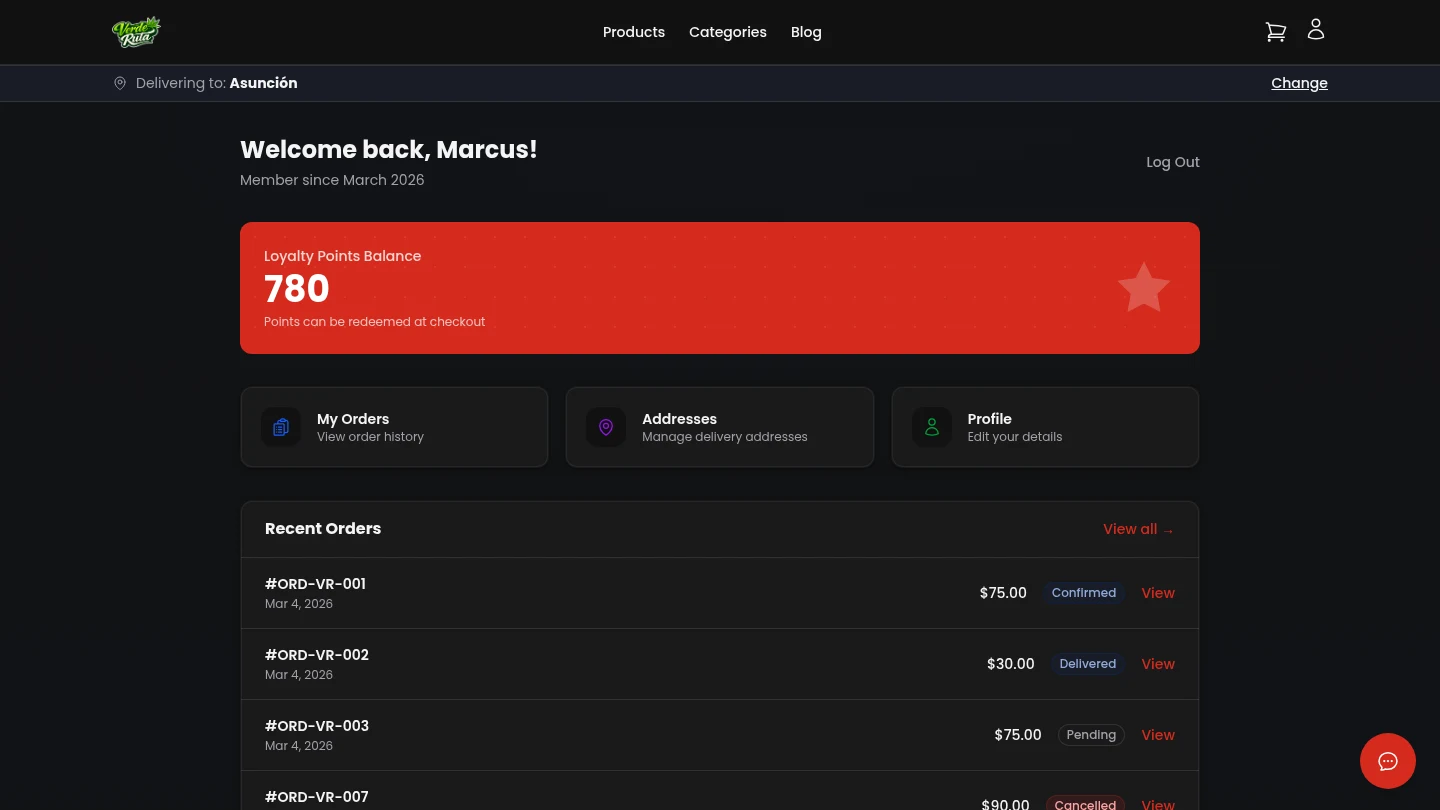
Overview (Your Perspective)
The account area is your repeat-purchase engine. Returning customers can log in, view order history, manage addresses, and track loyalty points when enabled.
Healthy account usage correlates with faster repeat checkout and better customer lifetime value.
Authentication Flow
- Customers can register and log in from account routes.
- Password reset is self-service and rate-limited.
- Guest checkout can still occur, but account users get saved profile/address convenience.
Customer Account Sections
- Orders
- Customers can review current and past order records, reducing support load for status questions.
- Order Detail
- Each order detail view reinforces transparency around totals, discounts, and delivered items.
- Addresses
- Saved addresses reduce checkout friction and improve repeat conversion speed.
- Profile
- Customers can keep phone and identity details current, improving delivery communication quality.
- Loyalty
- Shows balances and earning/redemption context when loyalty is enabled in your store settings.
Controls Behind the Scenes
- Customer Directory lets you inspect profiles, order stats, and loyalty balances.
- Bulk customer actions support cleanup and policy resets at scale.
- Loyalty settings define earn and redeem rates visible in account behavior.
Ops Checklist
- Audit customer records and high-value cohorts monthly.
- Verify loyalty economics still match margin targets.
- Monitor support volume for login/reset friction and adjust guidance.
- Use account/order data to inform promo and retention campaigns.